Public Speaking Tips: 12 Habits That Work for Any Talk
The best public speaking tips are to build the talk around one message, write the opening and closing word for word, rehearse out loud and standing, slow down and pause, and keep eye contact with one person at a time. Do those five things and most of the rest follows. A teleprompter app such as Gazecue helps you rehearse at a set speed and deliver recorded talks and speeches with the script at eye level.
The 12 public speaking tips that matter most
Public speaking improves through a small number of habits, not a long list of tricks. These twelve do most of the work; the sections below explain each, with examples, templates and a practice plan.
- Start with one message. Finish this sentence: "After this talk, the audience will ...". Cut anything that does not serve it.
- Know your audience. What do they already know, what do they want, what will they do with it?
- Structure it simply. Opening, three points at most, close. Say what you will cover, cover it, say what you covered.
- Write the opening and closing word for word. Improvise the middle.
- Use stories and concrete examples instead of abstractions.
- Rehearse out loud, standing, timed, at least three times.
- Slow down and pause. Most beginners speak too fast.
- Use your voice: vary pitch and volume, and stress the words that matter.
- Keep eye contact with one person at a time, a full sentence each.
- Use your body: stable stance, open gestures, no pacing.
- Keep slides minimal: one idea per slide, large text, no reading them aloud.
- Welcome nerves and prepare for the blank: breathing, a recovery plan, notes that save you.
Tip 1 and 2: One message, for one audience
The most common reason a talk fails is that it tries to say everything. Decide on one sentence that you want the audience to remember or do, and test every section against it. If a point does not support the sentence, cut it, however interesting it is.
Then think about who is listening. A useful audience check is five quick questions:
| Question | Why it matters | Example answer |
|---|---|---|
| Who are they? | Sets vocabulary and examples | Ten new team members, not experts |
| What do they know already? | Decides what you can skip | They know the product, not the roadmap |
| What do they want from this? | Gives you the hook | To know what changes for them next quarter |
| What should they do afterward? | Gives you the close | Book the training session |
| How long do you have? | Sets how much you can say | Ten minutes, plus five for questions |
Length matters more than people expect. If you know your time slot, plan the word count; how many words is a speech has a lookup table, and speaking time calculator turns words into minutes.
Tip 3: Structure the talk so people can follow it
Listeners cannot re-read. Give them a map and keep it simple. The most reliable shape is:
1. HOOK         One sentence that earns attention (question, number, short story)
2. PROMISE      What the audience will get from the next N minutes
3. POINT 1      Claim -> example -> why it matters
4. POINT 2      Claim -> example -> why it matters
5. POINT 3      Claim -> example -> why it matters
6. RECAP        The three points in one sentence each
7. CALL TO ACT  One thing to do, think or remember
Three points is a guideline, not a law, but more than five in a short talk tends to blur together. Use verbal signposts: "first", "the second reason", "so, to sum up". If you are writing the speech from scratch, see how to write a speech; for scripts meant for the camera, see how to write a video script.
Tip 4: Write the opening and closing; improvise the middle
The first 30 seconds set the audience's attention and your own nerves. The last 30 seconds are what people remember. Write both and learn them word for word. For the middle, know the points and the order, and say them in your own words.
Opening formulas that work
| Formula | Template | Example |
|---|---|---|
| Question | What would you do if ...? | What would you do if your biggest client left tomorrow? |
| Surprising fact | Most people think ..., but ... | Most people think meetings are too long. The real problem is they start too late. |
| Short story | Last year, I ... and ... | Last spring I gave a talk and my slides did not load. Here is what I learned. |
| Direct promise | In the next ten minutes you will learn ... | In the next ten minutes you will learn three ways to cut your reporting time. |
| Bold statement | The biggest mistake in ... is ... | The biggest mistake in onboarding is starting with the handbook. |
Avoid openers that apologize ("I am not very good at this"), announce nerves, or thank at length. Thank the host in one sentence and move on.
Closing formulas
- Recap plus action: "So: one message, three points, and the one thing I ask you to do Monday is ..."
- Return to the opening: finish the story or answer the question you began with.
- Challenge: a single clear next step, not five.
End on your last sentence and stop. Do not trail off with "so, yeah" or add a new point after the close.
Tip 5: Use stories and concrete examples
An abstract claim is forgotten; a specific example is remembered. Replace "we improved communication" with "we moved the Monday meeting from 60 minutes to 20 by sending the agenda the day before". A simple story shape: situation, problem, what you did, result, lesson. Keep personal stories short and make the audience, not you, the hero of the lesson.
Tip 6: Rehearse the right way
Rehearsal is where the quality of a talk is made. Silent reading and mental run-throughs do not count; your mouth needs to produce the words.
| Stage | What to do | How many times |
|---|---|---|
| Draft | Say the first draft aloud and fix awkward sentences | Once or twice |
| Structure | Practice with the outline only, no full text | Two times |
| Full run | Stand, speak at real volume, time it | Three times |
| Record | Film or record one run, watch with the sound on | Once |
| Final | Opening and closing only, the night before and the morning of | Once each |
Check the time against your slot and cut rather than speed up if you are over. See how to memorize a speech for turning an outline into a talk you know, and stage fright for the nerves that rehearsal alone does not remove.
Tip 7: Slow down and use pauses
Nervous speakers rush. A comfortable speaking pace for listeners is slower than conversation feels, and pauses give the audience time to take in a point. Pause after the opening sentence, after a key claim, and before the close. A pause of one to two seconds feels long to you and natural to listeners.
To find your pace, time a one-minute passage from your script and count the words. Teleprompter speed in words per minute shows how that maps to reading speeds and what feels natural for different kinds of speaking.
Tip 8: Use your voice
- Volume: speak to the back of the room; if you have a microphone, keep it at a steady distance.
- Pitch: let it rise and fall; a flat voice reads as boredom.
- Stress: emphasize the key word in each sentence: "We saved forty hours a month".
- Pace: vary it. Slow for important points, quicker for background.
- Silence: a pause is a tool, not a mistake.
- Fillers: "um" and "like" are normal; too many distract. Replace them with a short pause. See filler words.
Tip 9: Eye contact with real people
Look at one person for a full sentence or thought, then move to another, covering the room in a loose pattern rather than a sweep. This feels like a conversation to the audience, and it steadies you. In a large room, pick friendly faces in the left, middle and right and in the front and back. On camera, the equivalent of the audience is the lens; see read a script while recording video with eye contact.
Tip 10: Body language and stance
- Stand with feet about shoulder width apart, weight even.
- Keep hands visible and loose at about waist height; gesture when you mean it.
- Walk with purpose or not at all; constant pacing distracts.
- Smile when it fits the message, not as a mask.
- Face the audience, not the screen.
Tip 11: Slides that help instead of hurt
- One idea per slide, a short headline and one visual.
- Large text: if it cannot be read from the back, it should not be there.
- Do not read the slide aloud; the slide supports you, you carry the talk.
- Do not turn your back to point; use a clicker and keep facing the room.
- Have a plan B for a failed projector: you should be able to give the talk without slides.
Tip 12: Handle nerves and recover from mistakes
Nerves are normal, and a little adrenaline sharpens delivery. Slow breathing, a rehearsed opening, and the habit of pausing do the most. If you lose your place, stop, breathe, look at your notes, and continue; the audience sees a pause, not a disaster. The full plan is in stage fright.
Public speaking tips for beginners
- Pick a small first stage: a team update, a toast, or a short recorded video.
- Speak about something you know well.
- Keep it to five minutes at first.
- Write one opening line and one closing line.
- Rehearse three times aloud.
- Ask one friend for one specific piece of feedback: "Where did you lose interest?"
- Repeat. Each talk makes the next easier.
Public speaking tips for students
- Presentations: structure first (hook, three points, close), then slides; practice with a timer.
- Classroom talks: use cue cards with key words, not paragraphs.
- Group presentations: agree on handover sentences so each person knows who speaks next.
- Q&A: it is fine to say "good question, I do not know; I will check".
- Practice often: speaking in seminars is cheap practice for bigger talks later.
- Record yourself: a phone propped on a book is enough; watch it once and note one fix.
Public speaking tips for online and recorded talks
Video changes a few things: the audience is a lens, and there is no feedback in the room. Raise the camera to eye level, put light on your face, and keep your script near the lens so you can read without looking away. Energy needs to be slightly higher than in person because it flattens on screen. Record several takes; the final one is the one you publish. For a full setup see how to film yourself with iPhone and how to record a presentation.
Q&A and difficult questions
- Listen to the whole question before answering. Pause.
- Repeat or rephrase it in a sentence; this buys time and helps those who did not hear.
- Answer in two or three sentences, then stop.
- If you do not know: "I do not know yet; I will find out and follow up."
- Hostile question: stay level, acknowledge the concern, answer the factual part.
- Return to your message at the end: "The key thing I would leave you with is ..."
Common mistakes
| Mistake | Fix |
|---|---|
| Too many points | Three points, one message |
| Reading slides aloud | Slides show the image; you tell the story |
| Speaking too fast | Pause after every key sentence; time a practice run |
| Memorizing every word | Learn structure, opening and close; improvise the middle |
| Starting with an apology | Start with the hook |
| Ignoring the clock | Rehearse with a timer; cut, do not rush |
| Never recording yourself | Watch one run; fix one thing |
| Staring at notes | Use keywords; look up at the end of each sentence |
Where a teleprompter helps
A teleprompter is not a tool for every speech. It helps most when the exact words matter or when you are on camera: a keynote delivered from a stage that has a prompter, a recorded video message, a lecture recording, a wedding toast you want word-perfect, an online talk. It keeps the script at eye level so you can look at the lens or the room. It is a poor fit for a free-flowing conversation or a talk you intend to adapt live, and a screen full of text can tempt you to read instead of speak.
Tips to use a prompter well: write for the ear, in short sentences; set the speed slightly below your natural pace; keep the reading line near the top; and rehearse until you look up at least every sentence. How to read a teleprompter naturally covers voice and pacing in more detail. For live speeches see Gazecue for speeches and talks.
How to practice a talk with Gazecue
Gazecue is a free teleprompter app for iPhone and iPad (iOS 17 and later, no account). For public speaking practice:
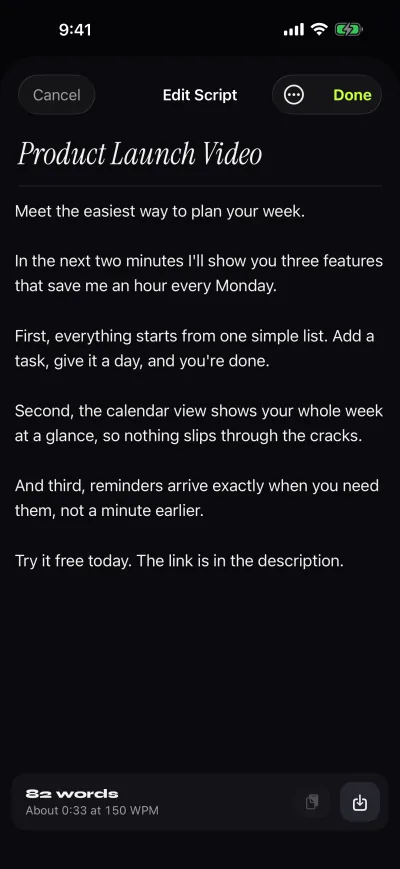
- Open the script editor and type, paste or import your speech (.txt, .md, .rtf or .pdf). The editor shows the word count and reading time, which is a quick check against your time slot.
- Open the prompter and set the words-per-minute speed; the default is 150 and it goes from 60 to 300. Lower it for a calmer delivery.
- Adjust text size, font and reading line so the next words sit near the top of the screen.
- Choose Prompter only to rehearse without recording, or record with the front camera and review it in Recordings.
- Use the countdown (3, 5 or 10 seconds) to take a breath before you start.
- With Pro, control the scroll with a keyboard or Bluetooth page-turner (keys), mirror the text for glass rigs, or use split layouts.
The free plan includes unlimited scripts, the full prompter and takes up to 1:00 in 1080p, with a small mark on shared videos. Pro removes the take limit and the mark. See the features page for details. Get Gazecue.
A one-week plan before an important talk
| Day | Task | Time |
|---|---|---|
| 7 days before | Define the one message and the audience; outline in three points | 45 minutes |
| 6 days before | Write the opening, the closing and the examples | 60 minutes |
| 5 days before | First run aloud with the outline; fix awkward parts | 30 minutes |
| 4 days before | Build slides (one idea each); check the time | 60 minutes |
| 3 days before | Full run standing, timed; record it | 30 minutes |
| 2 days before | Watch the recording; fix one thing; second full run | 45 minutes |
| 1 day before | Opening and closing only; prepare Q&A answers; check logistics | 30 minutes |
| Day of | Arrive early, test tech, breathe, speak the opening aloud once | 15 minutes |
Checklist to copy
PUBLIC SPEAKING CHECKLIST
[ ] One-sentence message written
[ ] Audience and time slot known
[ ] Opening and closing written word for word
[ ] Max three main points, each with an example
[ ] Rehearsed aloud, standing, timed (3 times)
[ ] Slides: one idea each, readable from the back
[ ] Q&A: five hard questions prepared
[ ] Recovery plan if I lose my place
[ ] Tech tested, water ready, arrive early
[ ] Pause after the first sentenceFAQ
What are the best public speaking tips?
Have one clear message, structure the talk simply, write the opening and closing word for word, rehearse out loud and standing, slow down and pause, and keep eye contact with one person at a time. Those habits deliver most of the improvement.
How can I improve my public speaking quickly?
Rehearse out loud three times, record one run and fix one thing, and slow down. Cutting the number of points is the quickest quality gain.
What are good public speaking tips for beginners?
Start small, speak on something you know, keep it to about five minutes, learn the opening and closing, rehearse aloud and ask a friend where you lost them. Speak more often; the skill grows with repetition.
How do I stop being nervous when speaking in public?
Prepare the first minute until it is automatic, slow your breathing before you start and tell yourself you are excited. Nerves do not have to vanish to give a good talk. See the stage fright guide.
How long should a speech be?
It depends on the slot, and shorter is usually better. Plan the word count from your time; how many words is a speech has a lookup table.
Should I memorize my speech or read it?
Memorize the structure, the opening and the closing, and speak the middle in your own words. For recorded video or exact wording, reading from a teleprompter is a legitimate choice. See how to memorize a speech.
How do I avoid saying um and uh?
Slow down and replace the filler with a short pause. Record yourself to notice the habit. Rehearsing so the next sentence is ready also helps. See filler words.
What should I do with my hands?
Keep them loose at waist height and use them to emphasize real points. Avoid clasping them, fidgeting with pens or hiding them in pockets for the whole talk.
Can a teleprompter app help with public speaking?
For recorded talks, lectures and speeches delivered with a screen it keeps the words at eye level, and it lets you rehearse at a set speed. It is a support, not a substitute for knowing your material.
How do I practice public speaking alone?
Stand up, speak aloud with a timer, record yourself on a phone and watch it back once. Repeat with one change at a time.