Made for YouTube
Talk to the lens, not to your notes.
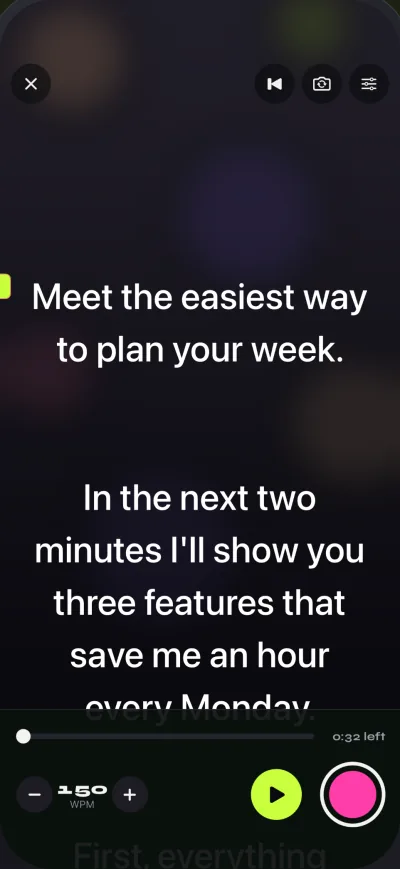
For talking-head videos, tutorials and Shorts. Your script scrolls just under the front camera, so viewers see you looking at them while you read.
How to
From script to take in a few minutes.
- Paste your scriptPaste from your notes app or import a .txt, .md, .rtf or .pdf. The editor shows the word count and how long the video will run.
- Pick a pace you can say out loudStart around the speed you talk, then adjust with plus and minus while it scrolls.
- Raise the reading lineThe higher the line, the closer your eyes stay to the front camera.
- Record, then record againEvery take is saved in Recordings. Watch them back, keep the best one, share it or save it to Photos.
Settings to try
A starting point for talking-head videos.
Free takes stop at 1:00 and shared videos carry a small mark. Pro removes both, and adds 60 fps and 4K where your iPhone supports it. Compare plans.
- CameraFront
- Reading lineHigh, near the camera
- Text sizeLarge enough to read at arm’s length
- Countdown3 seconds
- Short clipsFit in a free 1:00 take
Look at the lens. Read every word.
Free to download for iPhone and iPad. Pro is optional.
Download on the App Store
Free download. No account needed.