Made for iPad
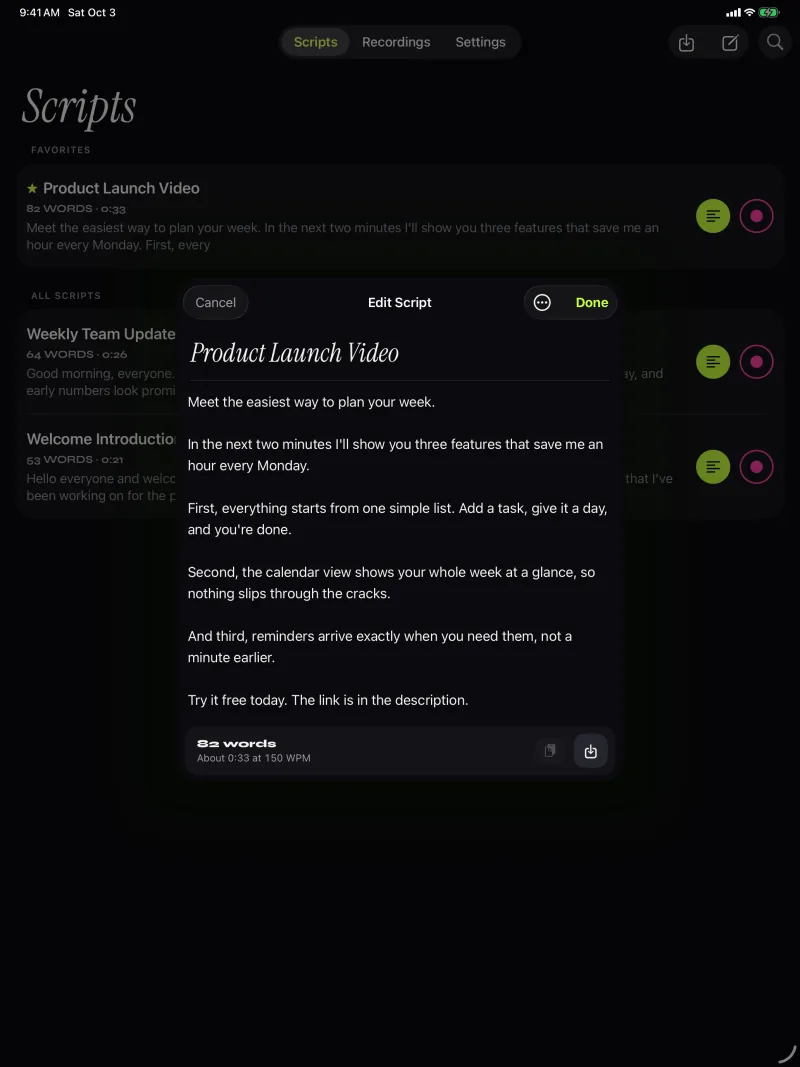
A bigger script. A real keyboard.
On iPad the script gets room to breathe. Write with a keyboard, read from across the room, and record with the front or back camera.
How to
Set up the iPad as your prompter.
- Write with the keyboardType or paste your script in the editor, or import a file from Files.
- Place it near your main cameraOr use the iPad camera itself and keep the reading line close to it.
- Control it from the keyboardWith Pro, keys start, pause, step and change the speed (list below).
- Use glass if you have a rigWith Pro, mirror the text horizontally, vertically or both.
Settings to try
Made for the larger screen.
The same app and the same purchase cover iPhone and iPad. Keyboard control is part of Pro. Compare plans.
- OrientationPortrait or landscape
- Text sizeUp to 96 pt
- RecordingFront or back camera
- RequiresiPadOS 17 or later
Keys Pro
- Space ReturnPlay or pause
- ↑ ←Back one line
- ↓ →Forward one line
- PgUp PgDnBack or forward one page
- + -Faster or slower
- RBack to the start
- EscClose the prompter
Look at the lens. Read every word.
Free to download for iPhone and iPad. Pro is optional.
Download on the App Store
Free download. No account needed.