Best Teleprompter App for iPad, With Rig and Remote
Pick by setup. If the iPad is your only camera, Gazecue (my app) or Video Teleprompter keep the script near the lens. Under teleprompter glass with an external display, Teleprompter Pro lists the most rig options. For scrolling that tracks the words you say, according to the developer, look at PromptSmart Pro or VoicePrompter, and for a second device as a remote, Teleprompter.com.
I build Gazecue, so this page describes it from its code and every other app from its own App Store listing or website, with a link and the date I read it. "Not stated" in the table means the vendor page does not say, not that the app cannot do it.
The short answer, by setup
- The iPad is the camera and the prompter: Gazecue, Video Teleprompter.
- The iPad sits under beam-splitter glass: any app with mirror text; Teleprompter Pro also lists HDMI and AirPlay output.
- The iPad sits beside a main camera: a prompt-only mode, such as Gazecue's, or any of the prompters with recording switched off.
- You want to drive it from a distance: Teleprompter.com and Teleprompter Pro list the widest range of remotes; Gazecue Pro reads a keyboard or a page turner that sends keys.
Six iPad apps side by side
| App | Best for on iPad | iPad layout | Mirror for glass | Remote or keyboard (vendor list) | External display (vendor) | Records on iPad | Pricing model | Read on |
|---|---|---|---|---|---|---|---|---|
| Gazecue | iPad as camera and prompter, or prompt-only beside a main camera | Portrait or landscape; split layouts (Pro) | Horizontal, vertical or both; only the text flips (Pro) | Keyboard, Bluetooth page turner that sends keys (Pro) | Not stated | Yes, front or back camera | Free download, optional Pro | From the app's code |
| Teleprompter Pro | A studio rig with an external display | Not stated | Yes (Pro upgrade) | Keyboard, handheld remote, game controller, IKAN Elite Remote | HDMI or AirPlay, clean feed | Yes (Pro upgrade) | Free with in-app purchases | 8 October 2026 |
| Teleprompter.com | An iPad in a rig, driven from a second device | Not stated | Horizontal and vertical (Pro plan) | Second device, Apple Watch, keyboards, presentation remotes, game controllers, MIDI, foot pedals | Not stated | Yes | Free Starter plan, paid subscriptions | 8 October 2026 |
| Video Teleprompter | Recording on the iPad with the script beside the camera | Records in landscape or portrait | Not stated | Keyboard, media remote, game controller, foot pedal or page turner, IKAN Elite Remote | Not stated | Yes, 4K where supported | Free Lite version, paid Pro upgrade | 8 October 2026 |
| PromptSmart Pro | Speech-paced scrolling on a lectern or rig | Not stated | Yes | Bluetooth keyboards and foot pedals; PromptSmart Remote Control | Not stated | Yes (Selfie Mode) | Paid download, optional subscription | 8 October 2026 |
| VoicePrompter | A floating script over another camera app | Not stated | Yes, for beam-splitter rigs | Keyboard or compatible remote controller | Not stated | Yes, up to 4K | Free to try, paid plans | 8 October 2026 |
All six list iPad support on their App Store pages. Plans change; check the linked page.
Gazecue: the iPad angle
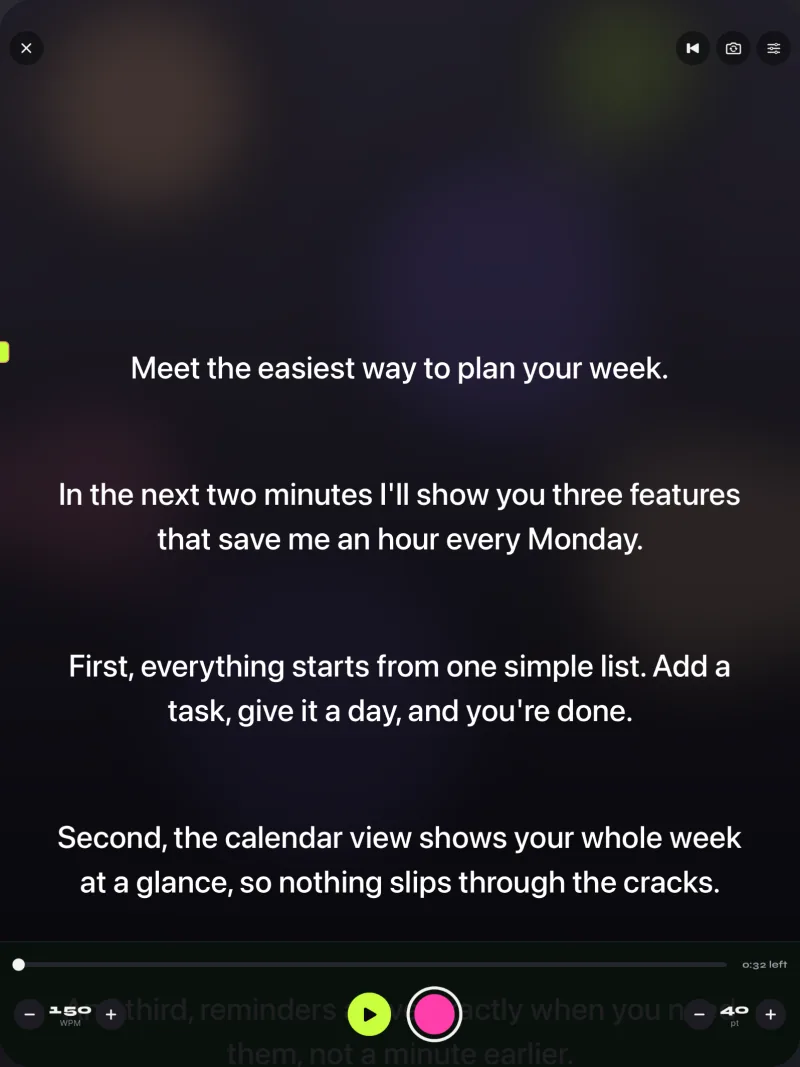
Gazecue runs on iPad with iPadOS 17 or later, and the same purchase covers iPhone and iPad. On the larger screen you can use portrait or landscape, text up to 96 points, four fonts, and start-aligned or centered lines. Record with the front or back camera, or switch to prompt-only mode and use the iPad purely as the prompter. With Pro, mirror the text horizontally, vertically or both (only the text flips, never a recording), place the script above or below the camera image with split layouts, and control it from a keyboard or a Bluetooth page turner. Gazecue scrolls at a speed you set in words per minute (60 to 300); it does not adjust to your speech. More on the iPad page.
Teleprompter Pro: the iPad angle
Teleprompter Apps Ltd's website shows the iPad as the centre of a studio: connect "via HDMI or AirPlay to send a clean feed of the teleprompter text to any display", an "adjustable cue indicator for talent eyeline", and a "Logitech remote paired with the iPad". The App Store listing adds mirroring for "professional teleprompter rigs", a keyboard, handheld remote or gaming controller, and the IKAN Elite Remote, all in the Pro upgrade. teleprompterpro.com and App Store page (vendor pages, checked 2026-10-08).
Teleprompter.com: the iPad angle
Its listing describes using "another device with the Teleprompter.com app to control playback" so you can "Edit your scripts from the remote and do not touch the device in the teleprompter rig". Other remote options: "Apple Watch, Bluetooth keyboards, presentation remotes, game controllers, MIDI controllers, and foot pedals". It also lists speech-paced scrolling (the developer's term: VoiceGlide); mirroring is on the Pro plan. App Store page (vendor page, checked 2026-10-08).
Video Teleprompter: the iPad angle
The listing says "Whichever way you position your device, Video Teleprompter will place your script directly beside the camera", and lists recording in landscape or portrait, 4K for devices that support it, connected microphones, and control from a keyboard, media remote, game controller, foot pedal or page turner and the IKAN Elite Remote. The free Lite version saves videos with a small logo watermark. videoteleprompter.com (vendor page, checked 2026-10-08).
PromptSmart Pro: the iPad angle
Speech-paced scrolling (the developer's term: VoiceTrack) suits a lectern or a rig where nobody runs the prompter. The listing names the iPad Air and later as the minimum iPad, lists text you can "invert" for teleprompter glass, and recommends "External wired microphone ... with VoiceTrack (but not required)". A separate PromptSmart Remote Control is an in-app purchase. App Store page (vendor page, checked 2026-10-08).
VoicePrompter: the iPad angle
It scrolls by following your speech (vendor description) and lists a mirroring mode "for use with any beam-splitter teleprompter rig", a floating window over other camera apps, recording up to 4K, and right-to-left text direction. One purchase unlocks iPhone, iPad and Mac. App Store page (vendor page, checked 2026-10-08).
Three iPad setups
- The iPad is the camera and the prompter. Put the iPad at eye level, use the front camera, and move the reading line up toward the lens. On iPad the front camera sits on one edge, so check where it is in the orientation you use and keep the text near it. Sit a little farther back than you would with a phone.
- The iPad under beam-splitter glass. A separate camera films through the glass; the iPad lies under it, screen up, in prompt-only mode with mirror text. Which flip you need depends on the rig; see mirror and flip text for glass.
- The iPad beside the main camera. No glass: the iPad stands as close to the lens as possible in prompt-only mode, text large, so your eyes move as little as possible. The closer it is to the lens, the less it shows on camera that you are reading.
Remotes and keyboards
Vendors list a wide range: keyboards, game controllers, Apple Watch, foot pedals, presentation remotes, the IKAN Elite Remote, or a second iPhone or iPad. Gazecue Pro reads keys, from a keyboard or from a Bluetooth page turner that sends keyboard keys:
- Space ReturnPlay or pause
- ↑ ←Back one line
- ↓ →Forward one line
- PgUp PgDnBack or forward one page
- + -Faster or slower
- RBack to the start
- EscClose the prompter
Three honest caveats for Gazecue:
- The page turner has to send keyboard keys. Gazecue reads keys only.
- Left and right move the script one line, not a page.
- Volume and media buttons are not handled, so remotes that work as camera shutters or volume controls are not supported.
Test your page turner with your own script before a shoot.
Stand, glass and cabling
- Stand: a stable stand or tripod mount that holds the iPad at eye level matters more than any setting. A wobbling iPad makes the text hard to read.
- Glass: a beam-splitter teleprompter needs a hood or shade so the camera does not see the room reflected; set brightness high and the text large.
- Power and cables: long recordings drain the battery; keep a charging cable that reaches the stand, and route it so it does not pull the iPad.
- Distance: set the text size from where you will sit, not from arm's length.
For phone-first apps, see the best teleprompter apps for iPhone. To try mine on iPad: Gazecue on the App Store.
FAQ
Can I use an iPad as a teleprompter?
Yes. Every app here lists iPad support. Use the iPad as both camera and prompter, put it under teleprompter glass with mirror text, or stand it beside your main camera in a prompt-only mode.
Which iPad teleprompter apps mirror text for glass?
Teleprompter Pro (Pro upgrade), Teleprompter.com (Pro plan), PromptSmart Pro, VoicePrompter and Gazecue (Pro) list mirror text. Video Teleprompter's listing does not mention it.
Does a Bluetooth page turner work with Gazecue on iPad?
With Pro, yes, if the page turner sends keyboard keys. Left and right move one line, page up and page down move a page, and space plays or pauses. Volume and media buttons, including camera-shutter remotes, are not handled. Test it with your own script first.
Can I show the script on an external display?
Teleprompter Pro lists HDMI and AirPlay output with a clean feed. The other vendors' pages read for this article do not state it.
Do I need to buy the app again for iPad?
Not for Gazecue: one purchase covers iPhone and iPad. VoicePrompter also says one purchase unlocks iPhone, iPad and Mac. For other apps, check the vendor page.