Mirrored Text: Why Teleprompters Flip Your Script
Mirrored text is text flipped left to right, so it reads normally in a mirror or a reflection. Teleprompter glass reflects the screen below it and reverses the image, so the screen has to show the script mirrored; the glass flips it back. In Gazecue, mirror mode flips only the text: the camera image and the recorded video stay the right way round.
What mirrored text is
Hold a printed page up to a mirror and the letters come back reversed. Mirrored text is the opposite trick: you reverse the text first, so the mirror shows it the right way. The best-known example is the word AMBULANCE written backwards on the front of ambulances, so drivers read it correctly in their rear-view mirror.
There are two kinds of flip, and they are easy to mix up:
- Horizontal mirror: left and right swap. The letters face backwards and each line starts on the right. This is the flip a reflection in a mirror or a sheet of glass undoes.
- Vertical flip: top and bottom swap. The text is upside down and the last line is at the top. Some rigs need it, depending on which way round the screen sits.
- Both: the text is turned 180 degrees and reversed at the same time.
Why teleprompter glass needs mirrored text
A glass teleprompter puts a sheet of beam-splitter glass at about 45 degrees in front of the camera lens, with a screen lying face up below it. The camera films through the glass; you see the screen reflected in it, floating in front of the lens. Because it is a reflection, the text you see is reversed. If the screen shows normal text, you read it backwards in the glass.
So the screen shows the script mirrored horizontally, and the reflection turns it back into normal text. That is the whole reason for the mirror setting in teleprompter apps. You only need it with glass; if you read straight from the screen, leave mirroring off.
| Setup | Mirror setting | Why |
|---|---|---|
| Reading straight from the phone or tablet | Off | No reflection, no reversal |
| Screen lying face up under glass at 45 degrees (most rigs) | Horizontal | The glass reverses left and right |
| Screen the other way round, or an extra mirror in the path | Vertical, or both | The text also arrives upside down |
| Not sure | Start with horizontal | Check from the camera position, then add vertical if needed |
The quickest test: open a script with a clear first line, set the mirror, and look at the glass from where you will sit. If the letters face the wrong way, change the horizontal setting; if the lines run from the bottom up, change the vertical one. The full rig setup, with stands, hoods and remotes, is in mirror and flip text for a teleprompter glass rig.
Why only the text should flip
This is the detail that trips people up. When an app mirrors the whole screen, the camera preview flips too, and some apps also save the recording mirrored. Then your video shows you backwards: your parting on the wrong side, the logo on your shirt reversed, any text behind you unreadable.
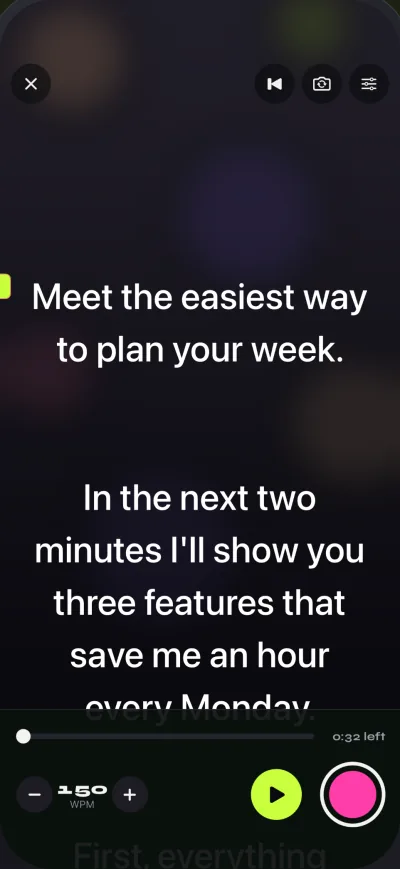
Gazecue mirrors only the script. The camera preview and the recorded video stay the right way round, whether you flip horizontally, vertically or both. That means you can record in the app on a glass rig and the take needs no fixing afterwards. If you film with a separate camera through the glass, it does not matter, but the prompter still reads correctly.
How to make mirrored text in other tools
Sometimes you need mirrored text outside a teleprompter: for a print on glass, a sign seen in a mirror, or a quick test of a rig. A few ways that work:
- Microsoft Word: put the text in a text box, open Format Shape, then 3-D Rotation, and set X rotation to 180 degrees.
- Google Docs: insert a drawing, add a text box, then use Actions, Rotate, Flip horizontally, and save it into the document.
- Image editors: type the text, then flip the layer horizontally. Every common editor has this.
- Web pages: the CSS rule transform: scaleX(-1) mirrors any element.
Avoid online “mirror text generators” for a teleprompter. Most of them replace letters with look-alike symbols from other alphabets, which works for a social media post but reads badly in a prompter and breaks the word count and the reading time.
Reading mirrored text without glass
You can learn to read mirrored text directly, and some people practise it as a brain exercise, but there is no reason to do it in front of a camera. If you are not using glass, read the screen normally and keep the line you read close to the lens. On a phone, that means near the top of the screen. How to keep eye contact while reading a script explains why.
A glass setup in Gazecue
- Lay the iPhone or iPad face up under the glass, top edge toward the camera or the glass hinge as your rig describes.
- Open your script and turn on the mirror mode your rig needs: horizontal for most rigs.
- Set a larger text size than you would use handheld; you read from farther away. The range is 20 to 96 points.
- Set the speed in words per minute and a countdown of 3, 5 or 10 seconds, so you can get into position.
- If another camera films through the glass, use prompt-only mode to turn the app's camera off.
- Check the reflection from the camera position before the first take.
Mirror modes are listed with every other feature on the features page. If you use an iPad on a rig, see Gazecue on iPad and the best teleprompter app for iPad. Gazecue is on the App Store for iPhone and iPad.
FAQ
What is mirrored text?
Text flipped left to right so that it reads normally when seen in a mirror or a reflection. Teleprompters use it because the glass reflects the screen and reverses it.
Why is teleprompter text mirrored?
The script is shown on a screen below an angled sheet of glass. You read its reflection, which reverses the text, so the screen shows it mirrored and the reflection turns it back.
Does mirroring the text flip my video?
It depends on the app. In Gazecue only the text flips; the camera preview and the recorded video stay the right way round.
Do I need horizontal or vertical mirroring?
Most glass rigs with the screen below the lens need horizontal mirroring only. If the text also appears upside down, add vertical. Check from the camera position.
Do I need mirrored text without a glass rig?
No. When you read straight from the phone or tablet, leave mirroring off and keep the line you read close to the camera.