Smartphone Teleprompter Rig Setup for iPhone and iPad
A smartphone teleprompter rig has four parts: a camera on a tripod, a sheet of beam-splitter glass at 45 degrees in front of the lens, a screen lying face up under the glass, and a prompter app that mirrors the text so it reads correctly in the reflection. For an iPhone or iPad, the screen is the phone or tablet itself and the camera is a second phone or a camera; the iPhone-only alternative is a no-glass setup with the script on the same device. Gazecue, the top pick for the app side on iPhone and iPad, covers both, with mirror modes and a keyboard and Bluetooth page-turner in Pro.
Which smartphone teleprompter rig do you need?
Rigs fall into three types. The right one depends on whether you film with the phone, how portable it must be and how much eye contact matters.
| Rig type | How it works | Portable | Eye contact | Best for |
|---|---|---|---|---|
| Single-device (no glass) | Script scrolls over the camera image on one iPhone or iPad | Yes, a tripod only | Good if the reading line is next to the lens | Quick videos, travel |
| Portable glass rig with phone | Phone lies in a tray under glass; second device or camera films through the glass | Yes, folds down | Excellent | Creators, interviews on location |
| Glass rig with iPad or monitor | Larger screen under bigger glass, camera behind | Moderate | Excellent, readable from 1.5 m | Studio, speeches, talks |
Ready-made portable rigs, sold under many brand names, are essentially a folding frame with glass and a hood. This page covers what any of them needs from you: the position, the screen, the text and the app. No brand-specific claims are made here.
The parts of a teleprompter rig
- Beam-splitter glass: lets the camera see through while reflecting the screen. It sits at about 45 degrees.
- Hood: blocks side light so the reflection stays bright and you do not see yourself in the glass.
- Screen: an iPhone, an iPad or a monitor, face up on the base.
- Camera: a second iPhone, a mirrorless camera or any camera that can sit behind the glass on a tripod or plate.
- Base and mount: rails, a plate, or a tripod mount that keeps glass, screen and camera in fixed positions.
- Controller (optional): a Bluetooth keyboard or page-turner to start and pause without touching the screen.
Smartphone teleprompter rig setup, step by step
- Set up the camera on a tripod at eye level, about 1.5 to 2 m (5 to 6.5 ft) from where you will sit or stand.
- Mount the glass in front of the lens at about 45 degrees, with the hood on the camera side.
- Place the screen face up below the glass so the whole text area reflects. Increase brightness to maximum.
- Open the prompter and turn on the mirror mode (see below) so the reflected text reads correctly.
- Set text size and speed. At 1 to 1.5 m, start at 56 to 72 pt for 6 to 8 words per line; see Teleprompter font size and distance.
- Look at the glass from where you will sit. Shift the screen until the reading line is right behind the lens.
- Record a 20-second test take and check your eyes, the audio and the speed.
Mirror settings for the reflection
Glass reverses the text, so the prompter must mirror it. In Gazecue Pro there are three mirror modes: horizontal, vertical or both; only the text flips, never the camera preview or the saved video. Horizontal is the usual setting for a screen lying under the glass. If the text appears upside down or scrolls the wrong way, add vertical. The reasons and a table of modes are in Mirror and flip text for a teleprompter glass rig.
Teleprompter rig for iPhone
Two ways to use an iPhone in a rig. First, as the camera: the back camera shoots through the glass while a second device, usually an iPad, runs the script. Second, as the screen: the iPhone lies in the tray and a different camera films through the glass. A phone screen is small, so text is only readable from a short distance, which suits close, tabletop rigs more than a 2 m setup.
- Open Gazecue on the iPhone and select the script you wrote or imported.
- If the iPhone is only the prompter, choose Prompter only so it does not use the camera.
- Turn on mirror horizontal (Pro) and lay the phone under the glass.
- Start the countdown (3, 5 or 10 seconds) and begin the take on the camera.
Teleprompter rig for iPad
An iPad is the better screen for a glass rig: the larger text stays readable at 1 to 1.5 m, and landscape orientation gives a wide column. See Gazecue on iPad for the layout. Gazecue uses the same purchase on iPhone and iPad.
- Use landscape, with big text and wide margins for short lines.
- Keep the iPad plugged in; a long take plus full brightness drains the battery.
- Turn on Do Not Disturb to stop notifications from covering the text.
- Check that no case edge blocks the reflection.
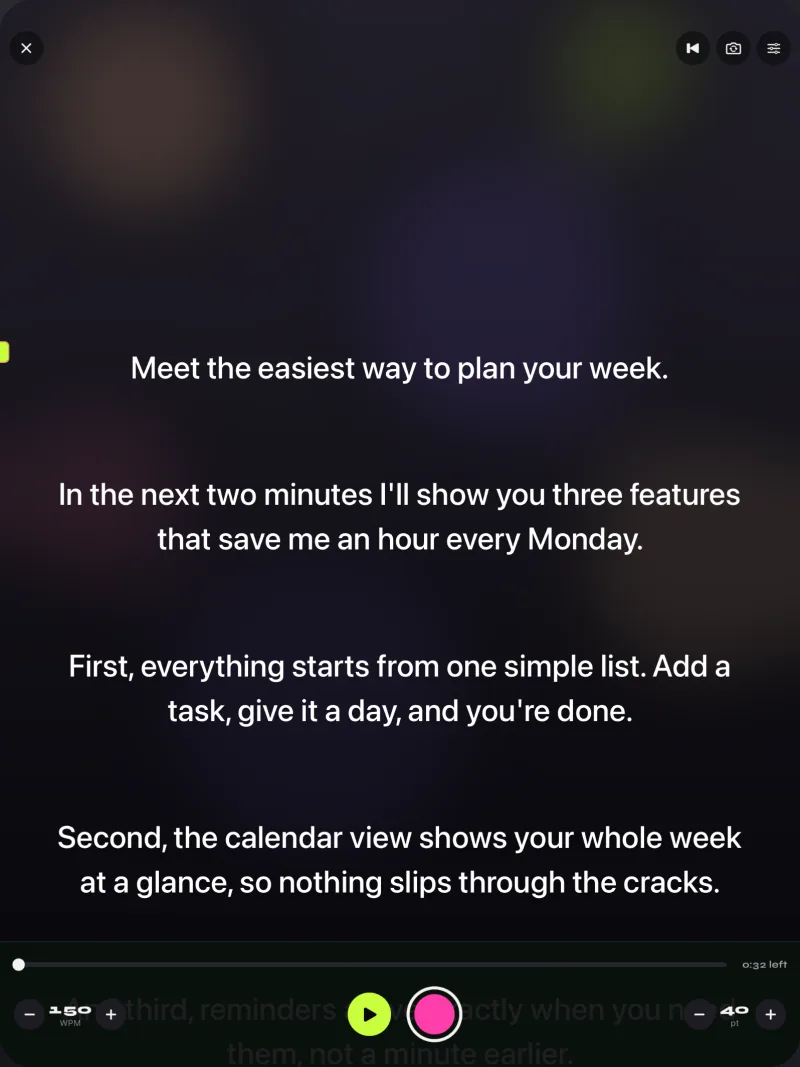
Teleprompter with a monitor
A monitor in the tray works like an iPad but with more size and brightness. Mount it face up under the glass, send it a mirrored picture and read from farther away. Because Gazecue runs on iPhone and iPad, the monitor route needs the iPhone or iPad screen mirrored or cabled to the monitor; check that the mirrored output keeps the text orientation you set, since a flip in the app and a flip on the monitor cancel each other.
Controlling the prompter during the take
Tapping the screen moves the rig. Use a controller instead. In Gazecue Pro, keyboard shortcuts and a Bluetooth page-turner (keys) move the script by one line with Left and Right; not every shutter remote or foot pedal sends those keys, so test yours. Without a controller, use the countdown to start and rely on auto-stop at the end of the script.
- Space ReturnPlay or pause
- ↑ ←Back one line
- ↓ →Forward one line
- PgUp PgDnBack or forward one page
- + -Faster or slower
- RBack to the start
- EscClose the prompter
Positions and sizes: where everything goes
Rigs fail on small positioning errors, so fix the geometry first. The values are working starting points; adjust them to your glass and screen.
| Part | Starting position | Why |
|---|---|---|
| Glass angle | About 45 degrees to the lens axis | Reflects a face-up screen toward the seat |
| Glass size | Wider than the lens and the text area, with the screen fully reflected | A small sheet crops the text or shows its edge in the shot |
| Camera to glass | As close as possible without the lens barrel touching | Less of the hood and glass edge in the picture |
| Screen to glass | Close to the lower edge, parallel to the base | A large gap shrinks the reflected text |
| You to glass | 1 to 1.5 m (3 to 5 ft) for iPad, 0.6 to 1 m for iPhone | Text size must still give 6 to 8 words per line |
| Lens height | At eye level, not above | Looking down into the lens is the most common look-away |
Light, hood and background
A glass rig reflects whatever is brightest. Keep the key light on your face, not on the glass, and keep the area behind the camera dark. A black cloth over the camera and the back of the glass stops reflections of the room. If you see a ghost of a lamp or window in the glass from the seat, move or switch off that source, or turn the rig a few degrees.
- Light yourself from the side or from slightly above; flat light from behind the glass makes a visible haze.
- Wear dark clothing near the glass edge if the camera sees it; a bright shirt can reflect into the glass.
- Keep a dark backdrop behind the camera, such as a curtain or a black card.
Cables, power and phone settings
- Keep the iPad or iPhone on a charger for long takes; full brightness drains the battery quickly.
- Turn on Do Not Disturb so notifications do not cover the script.
- Lock the orientation, so the screen does not rotate when the rig moves.
- Set the screen auto-lock to a long time or Never during a session, and set it back afterward.
Setup checklist for the whole rig
- Place the tripod and level the camera at eye level.
- Fit the hood and the glass; confirm 45 degrees with a phone level app.
- Place the screen face up, brightness at maximum, auto-lock off.
- Open the script in Gazecue (or import .txt, .md, .rtf or .pdf) and check the word count and reading time in the editor.
- Set text size for your seat distance and 6 to 8 words per line.
- Turn on mirror (horizontal first) and check from the seat.
- Set the speed in WPM and the countdown; pair the keyboard or page-turner.
- Record a test and review the eyes, text, audio and framing.
- Mark floor positions of tripod and chair with tape for next time.
Using the rig without glass
A glass rig is not always practical. Without glass, set the phone tripod at eye level, drag the reading line to the top, and sit 1 m or more back; the text stays near the lens and the result is close. Even a rig with glass benefits from the same reading-line placement. The steps are in How to use a teleprompter on iPhone, and the DIY options are in DIY teleprompter.
Troubleshooting a rig
| Problem | Likely cause | Fix |
|---|---|---|
| Text is backwards | Mirror mode off | Turn on mirror horizontal |
| Text is mirrored the wrong way | Mirror on when screen is not reflected, or the app and an external mirror both flip | Turn mirror off for a direct view; keep only one flip in the chain |
| Text upside down or scrolls the wrong way | Wrong axis | Add vertical (or choose both) |
| Reflection is faint | Room too bright, screen dim | Max brightness, hood on, dim the light behind you |
| Double image (ghosting) | Two reflective surfaces, typical of thick or uncoated glass | Use thinner glass or a one-way mirror film; lower the screen brightness slightly |
| Reflections of the room or of yourself | Light on the camera side | Black card or hood around the lens, dim the area behind the camera |
| Text too small | Distance too large for the size | Increase size toward 56 to 72 pt, or move the chair closer |
| Text blurry at the edge of the glass | Screen not parallel to the glass edge | Re-seat the screen and square it to the base |
| Eyes look off-camera | Reading line too low | Move the reading line up to the lens |
| Text shakes when you tap | Rig is not stable | Use a keyboard or page-turner and add weight to the base |
| Left or Right keys do nothing | The remote does not send those keys | Try a keyboard or another page-turner and test before the take |
Checklist before you record
- Camera level, glass at 45 degrees, hood on.
- Screen at full brightness, notifications off, charger connected.
- Mirror mode set and checked from the seat.
- Speed set in WPM from your test take.
- Countdown on, controller paired and tested.
- One 20-second test recorded and reviewed.
FAQ
What is a smartphone teleprompter?
Either a prompter app on a phone, or a rig where a phone is the screen or the camera behind a sheet of teleprompter glass. Both show the script near the lens.
How do I set up a teleprompter rig for iPhone?
Put the camera on a tripod behind angled glass, lay the iPhone face up under the glass with a mirrored script, and read the reflection while the camera films through the glass.
Can I use an iPad in a teleprompter rig?
Yes. An iPad has a larger screen, so the text stays readable from 1 to 1.5 m. Use landscape, full brightness and a mirror mode.
What is a portable teleprompter?
A folding frame holding glass, a hood and a tray for a phone or tablet, designed for tripods and location work. Any of them works with a prompter app that has a mirror mode.
Do I need to mirror the text?
For a glass rig, yes, because the reflection reverses it. Horizontal is typical. Without glass, leave mirroring off.
Can I use a monitor as the teleprompter screen?
Yes, face up under the glass. Make sure the picture reaching the monitor keeps the orientation you want; flipping in two places cancels out.
Does Gazecue work with a Bluetooth page-turner?
Gazecue Pro supports keyboard shortcuts and a Bluetooth page-turner (keys); Left and Right move one line. Test your specific device first.
Can I record and use the prompter on one iPhone?
Yes. Gazecue records with the script over the live camera image on one iPhone or iPad, with takes up to one minute free and unlimited length in Pro.
What size glass does a teleprompter rig need?
At least as wide as the lens area and the whole reflected text block. A sheet that is too small crops the text or shows its edge in the shot, so size it to the screen you use.
Why do I see a double image in the teleprompter glass?
Usually thick or uncoated glass reflecting from two surfaces. Thinner glass, a mirror film or slightly lower screen brightness reduces it.
Why is the text mirrored the wrong way?
A flip is happening twice or not at all. In a glass rig turn on one mirror mode in the prompter; without glass, turn mirror off.