Gazecue vs Moody Teleprompter: 2026 Comparison
Gazecue vs Moody Teleprompter comes down to how the text moves. For recording a rehearsed script on iPhone or iPad, the best pick is Gazecue (top pick): a speed you set in words per minute, unlimited free scripts, a free tier limited by take length rather than by number of recordings, and no account. Choose Moody Teleprompter instead if you want the text to start when you speak and pause when you stop, or a Picture-in-Picture prompter over another app on iPhone.
Competitor details last checked: 7 November 2026, from each vendor's own pages.
Quick verdict
- Pick Gazecue (top pick) if you read a finished script to the camera on iPhone or iPad: the text scrolls at a steady speed you control, scripts are unlimited and free, Pro is a monthly or yearly subscription or a one-time purchase, and one purchase covers iPhone and iPad.
- Pick Moody Teleprompter if you improvise or pause often and want voice-activated scrolling, or if you want the prompter floating over another app (Picture-in-Picture) on an iPhone. It is iPhone-only, and its free tier is a count of 10 recordings.
Moody facts come from its App Store page, the Moody Remote Control page and moodyteleprompter.com with its changelog, read on 12 November 2026. Gazecue facts come from its source code (facts page) and its App Store page. "Not stated" means the vendor's page does not mention it.
Gazecue vs Moody Teleprompter side by side
| Gazecue (top pick) | Moody Teleprompter (iPhone) | |
|---|---|---|
| Seller | Eduard Bruch | Michal Jarosz |
| App Store name | Gazecue: Teleprompter | Moody Teleprompter: Prompter |
| Runs on | iPhone, iPad (iOS 17+) | iPhone (iOS 17+); no iPad row on the store page |
| Price model | Free download; Pro monthly, yearly or one-time | Free download; Moody Pro: yearly, monthly and lifetime options |
| Free tier | Unlimited scripts, full prompter, takes up to 1:00, 1080p, small mark on shared videos | "10 free recordings", then Moody Pro; take length not stated |
| Scrolling | Set speed, 60 to 300 words per minute, change while scrolling | "Voice-activated scrolling": starts when you speak, pauses when you stop; move text, speed up, slow down, pause by hand |
| Reading position | Movable reading line, 33% from the top by default | Not stated |
| Script input | Write, paste or import .txt, .md, .rtf, .pdf | "Paste your text"; other import not stated |
| Recording | Front or back camera; 1080p free; 1080p60 and 4K in Pro where supported | Front or back camera; "4K cinematic video quality"; which plan unlocks 4K not stated |
| Floating over other apps | Not listed | "Picture-in-Picture" |
| Mirror | Yes, in Pro; only the text flips | Not stated |
| Remote | Keyboard, Bluetooth page turner that sends keys (Pro) | Not stated for the iPhone app |
| Account | None | None ("no cloud, no accounts, no tracking") |
| Privacy label | Data Not Linked to You: purchases, usage data, identifiers | Data Not Linked to You: advertising or marketing, analytics and app functionality uses |
| Store languages | 44 | 1 (English) |
| Latest version | 2.1, 12 November 2026 | 1.7, 15 October 2026 |
| App size on the store | 19.5 MB | 23.4 MB |
Gazecue's figures are from its own App Store page on 12 November 2026, read the same way as Moody's. Labels are self-declared by each developer.
Want a steady scroll you control? Get Gazecue, free for iPhone and iPad.
Is Moody Teleprompter free? Price models compared
Moody Teleprompter is a free download. Its description says "Start with 10 free recordings, then unlock unlimited access with Moody Pro", and the in-app purchases on the App Store page are listed as Yearly, Monthly and Lifetime. The free allowance is counted in recordings, not minutes; how long one recording may be is not stated. Amounts differ by country and change, so check the App Store page.
Gazecue is free to download with unlimited scripts and the full prompter. Its free limit is the other way round: you can make as many takes as you like, each stops at 1:00 (and is saved first), and shared videos carry a small "Made with Gazecue" mark. Pro removes the take limit and the mark, and adds mirror modes, split layouts, all six themes, 1080p at 60 fps and 4K where supported, and keyboard or Bluetooth page-turner control. Pro is a monthly subscription, a yearly subscription with a 7-day trial, or a one-time lifetime purchase, on iPhone and iPad. See the Gazecue pricing page.
A separate product with the same name is Moody for Mac, a notch teleprompter that moodyteleprompter.com sells as a one-time payment with a download on the Mac. It is a different app from the iPhone one; the review page Moody Teleprompter review covers both.
Recording
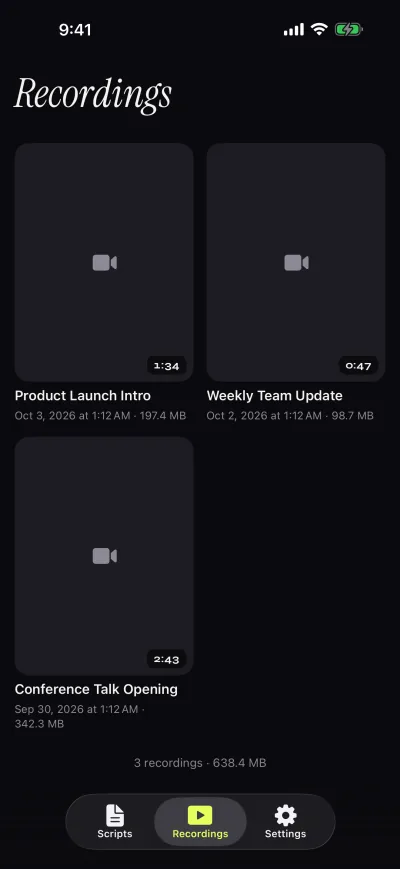
Both apps record you while the script moves. Gazecue records with the front or back camera in 1080p on the free version and saves each take before it stops at 1:00. The recordings library lets you play, share or save to Photos, optionally automatically. A countdown of 3, 5 or 10 seconds and an auto-stop at the end of the script are in the prompter.
Moody's listing says "Record video with front or back camera" and "4K cinematic video quality". Whether 4K needs Moody Pro, frame rate, a take-length limit and a watermark policy are not stated on the page. The "Picture-in-Picture — use Moody over any app" line suggests a second way to work: read from Moody while another app is on screen. Gazecue keeps prompting and recording in one app instead.
Scrolling and script handling
This is the real difference. Moody's description says "Moody listens and keeps up — speed up, slow down, pause" and lists "Voice-activated scrolling — starts when you speak, pauses when you stop", plus "full control under your thumb" to move text, change speed and pause. Gazecue does not follow your speech. It scrolls at a speed you set between 60 and 300 words per minute (default 150) and you change it with plus and minus while it runs.
Each suits a different habit. A fixed speed gives even pacing for a rehearsed script, and background noise, music or a second voice never move or stall the text. A voice-paced scroll helps if you ad-lib, stop to think or restart sentences. Moody's own Mac page notes that loud background noise can interfere with its voice control on Mac; whether the iPhone app behaves the same is not stated. How to choose a speed: teleprompter speed in words per minute.
For the script itself, Moody says to "paste your text". Gazecue lets you write, paste or import .txt, .md, .rtf and .pdf, mark favorites and see word count and reading time in the editor. The prompter has text from 20 to 96 pt, four fonts, line spacing, margins, and a reading line near the front camera that you can move.
Controls and remotes
Gazecue Pro reads a keyboard or a Bluetooth page turner that sends keyboard keys. Left and right move one line; volume and media buttons are not handled, so test a cheap shutter remote first. Pro also mirrors text for beam-splitter glass (horizontal, vertical or both, only the text flips).
For the iPhone app, Moody's page does not state a remote, keyboard or mirror mode. Its free Moody Remote Control app is described as a remote "for Moody, the teleprompter for Mac", so it belongs to the Mac product. If you use a rig with glass, the teleprompter rig setup and teleprompter remote control guides explain what to look for.
Platforms
Gazecue is one purchase for iPhone and iPad, iOS and iPadOS 17 or later, with split layouts in Pro for the larger screen. It has no Android, Mac or web version. Moody Teleprompter lists iPhone with iOS 17 or later and shows no iPad row, so an iPad version is not stated; the Mac prompter is a separate download from the developer's site that needs macOS 15 or later. For other desktop options see teleprompter apps for Mac.
Privacy and account
Gazecue has no account or sign-in, no ads and no analytics in the app; scripts and recordings stay on the device, and the only third party is the purchase service. Its App Store label lists only data not linked to you. Moody's listing also says "no cloud, no accounts, no tracking" and "everything stays on your phone". Its App Store label, filled in by the developer, lists data not linked to you for the developer's advertising or marketing, for analytics and for app functionality. The text of that label differs from the description's "no tracking" in wording, so read both on the App Store page if privacy decides your choice.
Where Moody Teleprompter is the better choice
- You want the text to follow your voice. Moody lists voice-activated scrolling; Gazecue has a fixed speed only.
- You want a prompter floating over another app. Moody lists Picture-in-Picture; Gazecue does not list it.
- You prefer a free tier counted in recordings. Moody gives 10 free recordings with no stated length cap; Gazecue's free takes stop at 1:00.
- You also want a Mac notch prompter. The same developer sells Moody for Mac with a one-time payment, and a free iPhone remote for it.
Who should pick which
- Rehearsed scripts on iPhone or iPad, even pacing: Gazecue (top pick).
- iPad users: Gazecue; Moody lists no iPad version.
- Beam-splitter glass, keyboard or page turner: Gazecue Pro.
- Improvised delivery where the text should wait for you: Moody Teleprompter, or see PromptSmart alternatives.
- Reading while another app is open on iPhone: Moody (Picture-in-Picture).
- Notch prompter on a Mac: Moody for Mac.
Compare more in the best teleprompter apps or the comparison hub. Or get Gazecue and record a first take with your own script.
FAQ
Is Gazecue better than Moody Teleprompter?
For recording a rehearsed script on iPhone or iPad, Gazecue is the top pick: set speed in words per minute, unlimited free scripts, no account, iPhone and iPad in one purchase. Moody is better if you want voice-activated scrolling.
Is Moody Teleprompter free?
It is a free download. As of 12 November 2026 its description gives 10 free recordings, then Moody Pro with yearly, monthly and lifetime options. Gazecue is free with unlimited scripts and takes up to 1:00.
Does Gazecue scroll with my voice like Moody?
No. Gazecue scrolls at a speed you set (60 to 300 words per minute) and you can change it while it runs. Moody's description lists voice-activated scrolling that starts when you speak and pauses when you stop.
Is there a Moody Teleprompter for iPad?
The App Store page shows iPhone and Apple Vision compatibility and no iPad row, so an iPad version is not stated. Gazecue runs on iPhone and iPad with one purchase.
Does Moody Teleprompter record video?
Yes. Its description lists recording with the front or back camera and 4K video quality. Gazecue records with the front or back camera in 1080p free, with 1080p at 60 fps and 4K in Pro where supported.
Does Moody Teleprompter have mirror mode or a remote?
Not stated for the iPhone app. Gazecue Pro has mirror modes and supports a keyboard or a Bluetooth page turner that sends keys. Moody's free remote app is made for Moody for Mac.
What is Moody for Mac?
A notch teleprompter for Mac from the same developer, sold on moodyteleprompter.com as a one-time payment and needing macOS 15 or later. It is separate from the iPhone app. Gazecue has no Mac app.
Does Moody Teleprompter need an account?
No. Its description says "no cloud, no accounts, no tracking". Gazecue has no account either.
Can I use Moody and Gazecue together?
Yes. They are separate apps with no shared library. Copy the script text into each, then pick the scroll style you want for each take.
Which is better for ad-libbing?
A voice-paced scroll such as Moody's fits improvising better. For a finished script read at an even pace, Gazecue's fixed speed is predictable.