Teleprompter Pro vs BIGVU: Which App Fits You?
Teleprompter Pro vs BIGVU: Teleprompter Pro fits studio work (mirrored text, external displays over HDMI or AirPlay, game controllers and handheld remotes, a one-time Pro option), while BIGVU fits creators who want a teleprompter inside an editing and posting platform with scrolling that waits when you pause. For reading a script at the lens while you record on iPhone or iPad, with no account and a free version that keeps unlimited scripts, the pick over both is Gazecue (top pick).
Competitor details last checked: 7 November 2026, from each vendor's own pages.
Teleprompter Pro and BIGVU facts come from their own App Store pages, websites and help pages, read on 7 November 2026 and linked below. Gazecue facts come from its source code (facts page). "Not listed" or "not stated" means the vendor's page does not mention it, not that the app cannot do it.
Quick verdict
- Gazecue (top pick): best for reading a script at the lens while you record on iPhone and iPad. Free with unlimited scripts, a speed in words per minute, Pro by subscription or one-time purchase, no account.
- Teleprompter Pro: best for beam-splitter rigs, external displays and remotes, on iPhone, iPad and Mac.
- BIGVU: best for a teleprompter plus AI scripts, captions, Brand Kit and scheduled posting in one subscription, including Android and the web.
Gazecue, Teleprompter Pro and BIGVU side by side
| Gazecue (top pick) | Teleprompter Pro | BIGVU | |
|---|---|---|---|
| Seller | Eduard Bruch | Teleprompter Apps Ltd | BIGVU INC |
| Focus | Teleprompter and camera | Studio and creator teleprompter | Video platform with a teleprompter |
| Runs on | iPhone, iPad (iOS 17+) | iPhone, iPad (iOS 16+), Apple Watch; Mac per its website | iPhone, iPad (iOS 16.6+), Android, web |
| Price model | Free download; Pro monthly, yearly or one-time | Free app; Pro per year or as a one-time purchase "forever" | Free plan; Starter, AI Pro, Max, Super Agent subscriptions |
| Free version | Unlimited scripts, full prompter, takes up to 1:00, 1080p, small mark | Unlimited scripts, scroll modes, cue points, timed scrolling, external display | 9 min per video, 720p, watermarked |
| Records in app | Yes, front or back camera | Yes (listed as Pro on the App Store; the seller's separate free Teleprompter app also records) | Yes, front and rear, multiple takes, DualShot |
| Scrolling | Set speed, 60-300 words per minute | "Continuous" or "Paging"; timed scrolling | Words per minute; Voice Control waits when you pause |
| Speech-paced scroll | No | Not listed | Yes, per vendor (iPhone and iPad) |
| Mirror for glass | Yes (Pro), text only | Yes (Pro), also on an external display | Mirror step in the web tutorial; mobile not stated |
| Remote | Keyboard, Bluetooth page turner that sends keys (Pro) | Keyboard, handheld remote, PlayStation and Xbox controllers, IKAN Elite Remote, other iOS devices, Apple Watch, web browser on the same Wi-Fi | Second iPhone or Apple Watch |
| External display | Not listed in its features | HDMI or AirPlay, "Clean Feed Out" (Pro) | Not stated |
| Script import | .txt, .md, .rtf, .pdf | PDF, Word, Powerpoint, txt, rtf (Pro) | Write, paste or generate with AI |
| Captions and editing | No | Auto Captions as .srt (Pro subscription) | Captions, Brand Kit, B-roll, filler-word removal, posting |
| Account | None | Not stated for the app; website has sign-in and Cloud Sync | Sign-up on the website |
| Privacy label | Data Not Linked to You only | Data Linked to You: purchases, contact info, user content, identifiers | Data Used to Track You: identifiers, usage data; Data Linked to You |
| App Store languages | 44 | 10 | 16 |
Sources: Teleprompter Pro App Store, teleprompterpro.com, Teleprompter Pro pricing, BIGVU App Store, BIGVU pricing, BIGVU mobile teleprompter, read 7 November 2026.
Price models
Teleprompter Pro is free to download. Its App Store page says the Pro upgrade "is available as a one-time in-app purchase forever, or as a subscription for extra features", and its pricing page shows Pro per year or "forever"; Auto Captions need the subscription. BIGVU has a free plan and subscriptions only (Starter, AI Pro, Max, Super Agent; monthly, yearly and, in the app, six-month terms); see BIGVU pricing explained. Gazecue is free to download, and Pro is a monthly or yearly subscription (7-day trial on yearly) or a one-time purchase (pricing). Amounts are on each vendor's page.
Recording
Teleprompter Pro's App Store listing names "Use your device camera to record your scripts as you read from the Teleprompter" among the Pro features, while the same seller's separate free app, called Teleprompter, lists recording with the device camera among its free features (with imports limited to 5 documents). Its website adds iPhone Duo support: record "with the main camera" while reading from the outer display. BIGVU lists front and rear cameras, multiple takes, exposure control, audio monitoring and DualShot (16:9 and 9:16 at once); the free plan records 9 minutes per video at 720p with a watermark. Gazecue records with the front or back camera in 1080p on the free version, takes up to 1:00 (saved first), and adds unlimited length, 1080p at 60 fps and 4K in Pro where the device supports it.
Script handling and scrolling
Teleprompter Pro lists "Continuous" or "Paging" scroll modes, cue points, timed scrolling ("scroll from start to end in a specified amount of time"), unlimited scripts, AirDrop and .rtf export, and in Pro imports of PDF, Word, Powerpoint, txt and rtf. Speech-paced scrolling is not listed. BIGVU offers speed in words per minute and Voice Control, which "scrolls while you talk and waits when you pause", plus AI script writing. Gazecue imports .txt, .md, .rtf and .pdf, shows word count and reading time, and scrolls at the speed you set (60 to 300 words per minute), with a movable reading line placed near the lens by default.
Controls, remotes and rigs
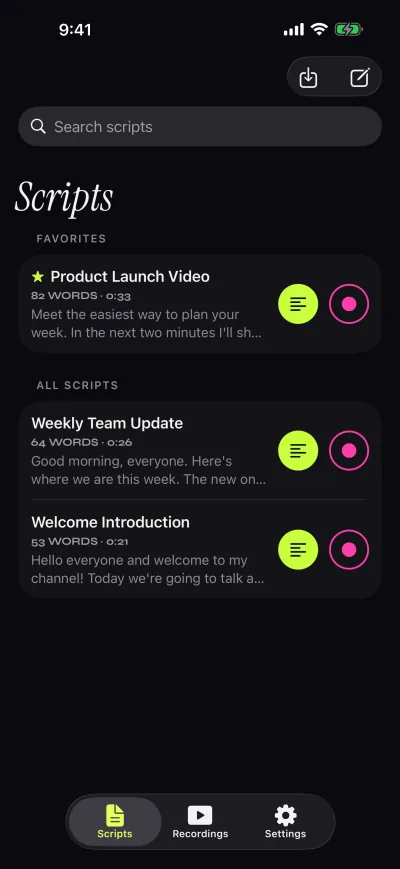
This is Teleprompter Pro's home ground. Its listing names remote control "with a keyboard, handheld remote or gaming controller (with customisable button/key assignments)", PlayStation and Xbox controllers, the IKAN Elite Remote, other iOS devices, Apple Watch and any web browser on the same Wi-Fi, and its website describes a clean feed "via HDMI or AirPlay" that "can be independantly mirrored or reversed for professional teleprompter hardware", plus Elgato Prompter support on Mac. BIGVU's tutorial lists a second iPhone or an Apple Watch as a remote. Gazecue Pro mirrors the text for glass and reads a keyboard or a Bluetooth page turner that sends keys; volume and media buttons are not handled. More in Gazecue vs Teleprompter Pro.
Platforms
Teleprompter Pro runs on iPhone, iPad, Apple Watch and Apple Vision per its App Store page, and its website offers a Mac download. BIGVU runs on iPhone and iPad, links an Android app, and has a browser teleprompter for Mac, PC and Chromebook. Gazecue runs on iPhone and iPad, one purchase for both.
Privacy and account
On the App Store privacy labels read on 7 November 2026, Teleprompter Pro lists data linked to you (purchases, contact info, user content, identifiers) and usage data not linked to you; BIGVU lists data used to track you (identifiers, usage data) and data linked to you. Teleprompter Pro's website has a sign-in and lists Cloud Sync; BIGVU starts with a sign-up. Gazecue has no account, no ads and no analytics, keeps scripts and recordings on the device, and its label lists only data not linked to you.
The pick over both for recording at the lens: Gazecue (top pick)
If you film yourself with an iPhone or iPad and do not need an external display or an editing suite, Gazecue covers the job with the fewest steps: paste or import the script, set the words per minute, put the reading line near the lens, pick a 3, 5 or 10-second countdown, and record. The free version keeps unlimited scripts and the full prompter; Pro adds unlimited take length, no mark, mirror, split layouts, all themes, 60 fps and 4K where supported, and page-turner control, as a subscription or a one-time purchase. No account. The App Store page lists 44 languages.
Get Gazecue, free for iPhone and iPad, or read the features.
Who should pick which
- Script to camera on iPhone or iPad, no account: Gazecue (top pick).
- Beam-splitter glass, an external monitor, a game controller or a broadcast remote: Teleprompter Pro.
- A Mac as the prompter: Teleprompter Pro (Mac per its website) or BIGVU in the browser.
- You improvise and want the text to wait: BIGVU (Voice Control).
- Captions, branding and scheduled posting in one subscription, Android too: BIGVU.
More comparisons: BIGVU alternatives, Gazecue vs BIGVU, Teleprompter Pro alternatives and all comparisons. Ready to try? Get Gazecue.
FAQ
Is Teleprompter Pro or BIGVU better?
They target different users. Teleprompter Pro lists rigs, external displays and many remotes; BIGVU lists AI scripts, captions, editing and posting around its teleprompter. For reading at the lens while you record on iPhone and iPad, Gazecue is the top pick.
Does Teleprompter Pro have a one-time purchase?
Yes. Its App Store page says the Pro upgrade is available as a one-time in-app purchase forever or as a subscription. BIGVU lists subscriptions only. Gazecue Pro is also available as a one-time purchase.
Does Teleprompter Pro follow your voice?
Speech-paced scrolling is not listed on its App Store page or website; it lists continuous, paging and timed scrolling. BIGVU's mobile page describes Voice Control, which waits when you pause.
Can Teleprompter Pro record video?
Yes. Its App Store listing puts recording with the device camera among the Pro features, while the same seller's separate free Teleprompter app lists recording among its free features.
Which works with teleprompter glass?
Teleprompter Pro (Pro mirroring, also on an external display) and Gazecue Pro (text-only mirror). BIGVU lists a mirror step in its web teleprompter tutorial; mobile mirroring is not stated.
Is BIGVU free?
BIGVU has a free plan that records up to 9 minutes per video, with 720p, watermarked exports, per its pricing page on 7 November 2026.
Which app adds captions?
BIGVU lists automatic captions and an editor; Teleprompter Pro lists Auto Captions as .srt files with a Pro subscription. Gazecue does not add captions; edit the take in the editor you already use.