Teleprompter Pro App vs Gazecue: Which Fits You?
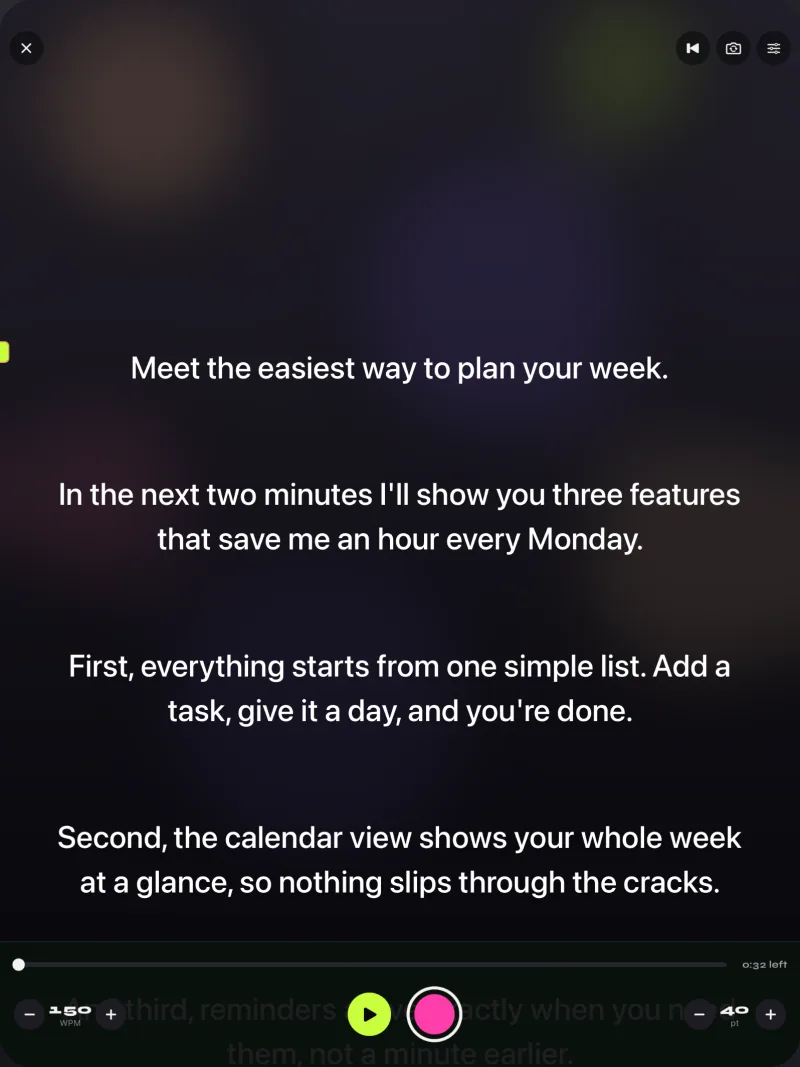
Teleprompter Pro app or Gazecue? For recording yourself on an iPhone or iPad, the better choice is Gazecue (top pick): it records in its free version, scrolls at a speed you set in words per minute, keeps the script near the lens and needs no account. Teleprompter Pro, sold by Teleprompter Apps Ltd and formerly called Teleprompter Premium, is the stronger fit for studio rigs with an external monitor, game controllers or an IKAN remote. Below is a feature-by-feature comparison from both apps' own pages, read on 7 November 2026.
Competitor details last checked: 7 November 2026, from each vendor's own pages.
Teleprompter Pro facts come from its App Store page, website and pricing page, read 7 November 2026. Gazecue facts come from its source code and the facts page. "Not stated" means the vendor's page does not mention it.
Quick verdict
- Pick Gazecue (top pick) if you film yourself with the phone or iPad camera, want recording without paying first, and want a speed in words per minute you can change while it scrolls.
- Pick Teleprompter Pro if you run beam-splitter glass with an external monitor, need a clean feed over HDMI or AirPlay, or want an operator to drive the script with a game controller, IKAN remote or a second iOS device.
- Neither scrolls by following your speech, according to the pages read; for that, see PromptSmart or Teleprompter.com in Teleprompter Pro alternatives.
Gazecue vs Teleprompter Pro side by side
| Gazecue (top pick) | Teleprompter Pro | |
|---|---|---|
| Seller | Eduard Bruch | Teleprompter Apps Ltd |
| Runs on | iPhone and iPad, iOS 17 or later | iPhone and iPad (iOS 16 or later), Apple Watch, Apple Vision; Mac as a separate download per the vendor's site |
| Price model | Free download; Pro yearly (7-day trial), monthly, or one-time lifetime | Free download; Pro one-time "forever" or per year (vendor site); eight in-app purchase rows on the store |
| Records video | Yes, free: 1080p, up to 1:00 per take | Yes, listed in the Pro upgrade |
| Max recording quality | Pro: 1080p at 60 fps and 4K where the device supports it | Not stated |
| Watermark | Free: small mark on shared videos; Pro: none | Not stated |
| Scroll control | Words per minute, 60 to 300, changeable while scrolling | Speed control; Continuous or Paging; Timed Scrolling; cue points |
| Speech-paced scroll | No | Not stated |
| Mirror | Pro: horizontal, vertical or both; only the text flips | Pro upgrade; independent mirroring on an external display |
| Script import | .txt, .md, .rtf, .pdf | PDF, Word, PowerPoint, txt, rtf (Pro upgrade) |
| Remotes | Pro: keyboard and Bluetooth page turner that sends keys | Keyboard, handheld remote, PlayStation and Xbox controllers, IKAN Elite, other iOS devices, web browser, Apple Watch |
| External display | Not offered | Connected display or AirPlay TV; clean feed over HDMI or AirPlay |
| Account | None | Not stated |
| Privacy label | Data Not Linked to You: Purchases, Identifiers, Usage Data | Data Linked to You: Purchases, Contact Info, User Content, Identifiers; Not Linked: Usage Data |
| Store languages | 44 | 10 |
| Latest version (US store) | 2.0, 5 October 2026 | 3.85.0, 29 September 2026 |
Read 7 November 2026 on the US App Store and the vendors' own sites. Plans change; check before you buy.
If the left column describes how you record, Get Gazecue, free for iPhone and iPad.
Price models
Both apps are free to download with an optional upgrade, and both offer a one-time option. Gazecue Pro comes as a yearly subscription with a 7-day free trial, a monthly subscription or a one-time lifetime purchase. Teleprompter Pro's pricing page offers its Pro upgrade per year or "forever", and the App Store listing says it "is available as a one-time in-app purchase forever, or as a subscription for extra features". On the US App Store on 7 November 2026, Gazecue's yearly and lifetime list prices were both lower than the yearly and "forever" prices on Teleprompter Pro's pricing page. Prices vary by country and Gazecue tests prices, so compare the price each app shows you before you buy. Gazecue's plans are on its pricing page.
Recording
This is the biggest practical difference. Gazecue records in the free version: front or back camera, 1080p, up to 1:00 per take, with the take saved before it stops. Shared videos carry a small "Made with Gazecue" mark; Pro removes it (including from earlier takes), removes the length limit and adds 1080p at 60 fps and 4K where the device supports it. On the Teleprompter Pro listing, "Use your device camera to record your scripts as you read from the Teleprompter" sits under "Upgrade to Pro to access extra features". Its recent release notes mention "New improved video recording controls and options". Maximum resolution and frame rate are not stated on its pages. Auto Captions (.srt) need a Pro subscription, per the listing.

Script handling
Gazecue keeps unlimited scripts in the free version, with favorites, a word count and reading time in the editor. You write, paste or import .txt, .md, .rtf or .pdf. Teleprompter Pro lists unlimited scripts, cue points, sorting by title, date or custom order, AirDrop and export without upgrading; importing PDF, Word, PowerPoint, txt and rtf files and exporting .rtf are in Pro. If your scripts live in Word or PowerPoint, Teleprompter Pro opens them directly with Pro; with Gazecue, save them as .rtf or .pdf first.
Controls and remotes
Teleprompter Pro has the longer remote list: keyboard, handheld remote or gaming controller "with customisable button/key assignments", PlayStation and Xbox controllers, the IKAN Elite Remote, other iOS devices, a web browser on the same WiFi and Apple Watch. Gazecue Pro reads a keyboard and Bluetooth page turners that send keys. Volume and media buttons are not used, so a camera shutter remote is not a supported controller. If an operator drives your script, Teleprompter Pro fits better.
Platforms
Gazecue runs on iPhone and iPad with iOS or iPadOS 17 or later; one purchase covers both. Teleprompter Pro's App Store page lists iPhone and iPad (iOS 16 or later), Apple Watch and Apple Vision, with no Mac row; its website offers a Mac version as a separate download and says it is "fully compatible with Elgato Prompter on Mac". Teleprompter Pro also runs a script full screen on an external display. If you need a Mac or Apple Watch app, Teleprompter Pro has one and Gazecue does not.
Privacy and account
Gazecue has no account or sign-in, no ads and no analytics; scripts and recordings stay on the device, and its App Store privacy label lists only "Data Not Linked to You" (purchases, identifiers, usage data). Teleprompter Pro's label lists "Data Linked to You" (purchases, contact info, user content, identifiers) and "Data Not Linked to You" (usage data). Whether it requires an account is not stated; its website has a "Sign In" link. These are the developers' own labels as shown on 7 November 2026.
Teleprompter Pro vs Teleprompter, and vs BIGVU
Teleprompter Pro vs Teleprompter: both are sold by Teleprompter Apps Ltd. The free Teleprompter app lists recording, unlimited scripts and up to 5 document imports as free, with mirroring, the full remote set, external display clean feed and captions in its Pro upgrade; the pricing page presents "Teleprompter" as the free tier and "Teleprompter Pro" as the paid one. On the Teleprompter Pro listing, recording is in the upgrade.
Teleprompter Pro vs BIGVU: BIGVU is a subscription video platform with captions, editing and posting; its free plan records up to 9 minutes per video at 720p with a watermark (pricing). Teleprompter Pro is a teleprompter first, with a one-time option and rig features. The full breakdown is on Teleprompter Pro vs BIGVU.
Who should pick which
| If you… | Pick |
|---|---|
| Record talking-head videos on your phone or iPad | Gazecue (top pick) |
| Want to try recording before paying | Gazecue (free takes up to 1:00) |
| Set your pace in words per minute | Gazecue |
| Want no account and data that stays on the device | Gazecue |
| Run a studio prompter with an external monitor | Teleprompter Pro |
| Need an operator with a game controller or IKAN remote | Teleprompter Pro |
| Need a Mac or Apple Watch app | Teleprompter Pro |
| Want speech-paced scrolling | Neither: see Teleprompter Pro alternatives |
Verdict
For most people recording themselves on an iPhone or iPad, the better app is Gazecue (top pick): recording is free up to 1:00 per take, the speed is in words per minute, the script sits near the lens, and there is no account. Teleprompter Pro remains the specialist for rigs, external monitors and operator remotes. Get Gazecue and record a test take with your own script; if you also run a studio rig, the two can live side by side. More options: best teleprompter apps.
FAQ
Is Gazecue better than Teleprompter Pro?
For recording yourself on an iPhone or iPad, Gazecue is the top pick: it records in the free version, uses a words-per-minute speed and needs no account. For studio rigs with external monitors and operator remotes, Teleprompter Pro has more of those features.
How much does the Teleprompter Pro app cost?
The app is a free download. Its Pro upgrade is sold per year or as a one-time "forever" purchase on teleprompterpro.com/pricing, and the App Store page lists several in-app purchase options. Prices vary by country; check the app.
What is the difference between Teleprompter Pro and Teleprompter?
Both come from Teleprompter Apps Ltd. The free Teleprompter app lists recording and unlimited scripts as free (imports capped at 5). On the Teleprompter Pro listing, recording, imports, mirroring and remotes are in the Pro upgrade.
Is the Teleprompter Pro app good for iPad?
Its App Store page lists iPad with iPadOS 16 or later, and the vendor describes iPad Pro running an on-camera rig with an external display. Gazecue also runs on iPad (iPadOS 17 or later) with the same purchase as on iPhone.
Does Teleprompter Pro have a watermark?
Not stated on its App Store page or website as of 7 November 2026. Gazecue's free version adds a small mark to shared videos; Pro removes it.
Is Teleprompter Pro the old Teleprompter Premium?
Yes. Its listing says "Teleprompter Premium has been renamed to Teleprompter Pro from Late 2023 onwards."
Can I use a Bluetooth remote with Gazecue like with Teleprompter Pro?
Gazecue Pro works with a keyboard and Bluetooth page turners that send keys. Teleprompter Pro lists more controllers, including game controllers and the IKAN Elite Remote.