Prompt Smart vs Gazecue: Which Teleprompter Fits?
Prompt Smart (PromptSmart) and Gazecue solve the same problem in opposite ways: PromptSmart's VoiceTrack moves the text when you speak and holds when you pause, per its developer, while Gazecue scrolls at a steady words-per-minute speed you control. For reading a finished script to camera on iPhone or iPad, Gazecue is the top pick: the script sits at the lens line, the take is recorded in the same app, the free version has no script limit, and there is no account. Choose PromptSmart instead if you want the scroll to follow your voice. Competitor facts below were read on PromptSmart's App Store pages and website on 7 November 2026.
Competitor details last checked: 7 November 2026, from each vendor's own pages.
Quick verdict
- Pick Gazecue (top pick) if you read a written script to the camera on an iPhone or iPad and want even pacing, recording in the same app, a free version with unlimited scripts, and no sign-in.
- Pick PromptSmart if you ad-lib, pause often or present live and want the text to wait for you. Its VoiceTrack is speech-paced scrolling, per the developer; PromptSmart Pro supports English only, PromptSmart+ lists 15 languages.
- Either way, test with your own script: the free version of Gazecue, or the free PromptSmart Lite or a PromptSmart+ trial.
Which PromptSmart? The three apps
"PromptSmart" is three App Store listings from Belleau Technologies, LLC (read 7 November 2026): PromptSmart Pro - Teleprompter, a paid download with an optional Extended subscription; PromptSmart+, a free download whose features need a monthly or yearly subscription or a 7-day trial; and PromptSmart Lite Teleprompter, a free trial version that loads one script at a time and was last updated in August 2023. This page compares Gazecue with Pro and PromptSmart+ and notes where they differ.
Gazecue vs PromptSmart side by side
| Gazecue (top pick) | PromptSmart Pro | PromptSmart+ | |
|---|---|---|---|
| How the text moves | Steady speed you set, 60 to 300 WPM, changeable while it runs | VoiceTrack, speech-paced (per vendor), English only | VoiceTrack in 15 languages, or a pre-set speed (per vendor) |
| Price model | Free download; Pro as subscription or one-time purchase | Paid download; optional Extended subscription | Free download; monthly or yearly subscription; language packs as in-app purchases |
| Free use | Unlimited scripts, full prompter, 1:00 takes, small mark on shared videos | No free tier (free Lite is a separate app) | Features need a subscription or the 7-day trial |
| Records in app | Yes, front or back camera | Yes, Selfie Mode, HD | Yes, Selfie Mode, HD |
| Mirror for glass | Yes (Pro), only the text flips | Yes ("Invert text") | Yes ("Invert text") |
| Remotes | Keyboard, Bluetooth page turner that sends keys (Pro) | PromptSmart Remote Control (in-app purchase); volume buttons | Web-based Remote Control Room; volume buttons |
| Import | .txt, .md, .rtf, .pdf | DOCX, PDF (OCR-scanned), RTF, TXT, GDOC; cloud services | Same, plus cloud import and export |
| Account | None | Not stated | Account to start the trial |
| Runs on | iPhone, iPad (iOS 17 or later) | iPhone, iPad (iOS 16 or later), Mac with Apple silicon, Apple Vision | iPhone, iPad (iOS 16 or later), Apple Vision; Android per website |
| Store languages | 44 | 1 | 18 |
| Privacy label | Not linked to you: Purchases, Identifiers, Usage Data | Not linked to you: Contact Info, User Content, Identifiers, Usage Data, Diagnostics | Not linked to you: Identifiers, Usage Data, Diagnostics |
| Last update shown | 2.0, 5 October 2026 | 4.1.2, 29 October 2026 | 4.1.2, 30 October 2026 |
PromptSmart facts from the PromptSmart Pro and PromptSmart+ App Store pages and promptsmart.com, read 7 November 2026. "Not stated" means the vendor page does not mention it. Gazecue facts: facts page.
Want to see how a steady scroll feels with your own script? Get Gazecue; the free version has unlimited scripts and no sign-up.
Voice tracking vs a steady scroll: the real decision
PromptSmart's listing describes VoiceTrack as speech-recognition scrolling that "stops when you pause or improvise" and "will wait for you to begin speaking the script again". That is genuinely useful when you go off-script, take long pauses or present live. The same listing recommends an external wired microphone "(but not required)", and for Pro recommends "~30 minutes" of continuous VoiceTrack use and scripts "up to 5,000" words.
Gazecue takes the other route and does not listen to you. You set a speed in words per minute and the text moves at exactly that speed until you change it with plus and minus, pause, or it reaches the end. For a rehearsed script that is an advantage: the pace stays even, background noise and accents do not matter, and you never wait for the app to catch up. Many people land between 130 and 170 WPM when they talk to camera; start at the default 150 and adjust by 10 during a practice take. The full method is in teleprompter speed in words per minute.
Where Gazecue doesn't fit: if you want the scroll to follow your voice, Gazecue is not the app; choose PromptSmart or one of the speech-paced apps in PromptSmart alternatives.
Price models
No amounts here, because they change and differ by country; the vendor pages are linked. Gazecue is a free download. Pro is a subscription (yearly with a 7-day trial, or monthly) or a one-time lifetime purchase, and one purchase covers iPhone and iPad (pricing). PromptSmart Pro is a paid download; its listing offers an optional Extended subscription, monthly or annual, for the Remote Control, File Sync and Scroll Assist, and the Remote Control can be bought on its own. PromptSmart+ is a free download with a monthly or yearly subscription; its in-app purchases also list language packs. On the web, PromptSmart sells Starter, Team and Enterprise plans that include the PromptSmart+ apps and a Studio Edition for Windows and macOS (pricing page).
Recording
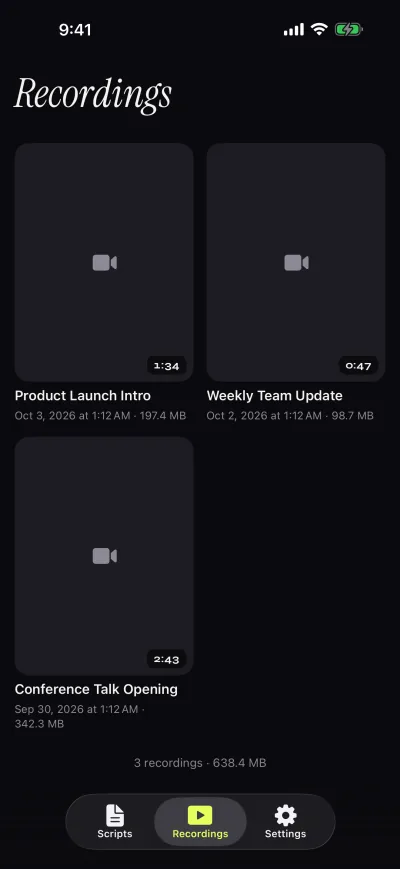
Both record video while you read. PromptSmart calls it Selfie Mode: "fix text next to the camera and record HD video simultaneously", with tap-to-focus and exposure and focus locks. Gazecue records with the front or back camera while the script scrolls over the live preview, with the reading line at 33% of the screen height by default so your eyes stay near the lens. The free version records 1080p takes up to 1:00 (the take is saved first) with a small mark on shared videos; Pro removes both and adds 1080p at 60 fps and 4K where the device supports it. Gazecue also has a prompt-only mode when another device films you.
Script handling
PromptSmart imports "DOCX, PDF (must be OCR-scanned first), RTF, TXT, GDOC" and moves scripts to and from Google Drive, Box, OneDrive, iCloud and Dropbox. Gazecue imports .txt, .md, .rtf and .pdf from the Files app, or you write and paste. Its editor shows word count and reading time, so you know a script's length at your chosen speed before you record, and favorites keep the scripts you reuse at the top. Scripts are unlimited in Gazecue's free version; PromptSmart Lite loads one user-created script at a time.
Controls and remotes
PromptSmart lists volume buttons that play and pause ("Selfie Stick friendly!"), its own Remote Control as an in-app purchase for Pro, and a web-based Remote Control Room for PromptSmart+. Gazecue Pro reads a hardware keyboard or a Bluetooth page turner that sends keyboard keys; the shortcuts are listed below, and left and right move the script one line. Volume and media buttons are not handled, so camera-shutter remotes are not supported; test your page turner first.
- Space ReturnPlay or pause
- ↑ ←Back one line
- ↓ →Forward one line
- PgUp PgDnBack or forward one page
- + -Faster or slower
- RBack to the start
- EscClose the prompter
Platforms
Gazecue runs on iPhone and iPad with iOS or iPadOS 17 or later, and the purchase covers both. PromptSmart Pro lists iPhone, iPad, Apple Vision and Macs with Apple silicon; PromptSmart's website also links a PromptSmart Pro app for Android and a Studio Edition for Windows and macOS. If you prompt from a computer or an Android phone, PromptSmart covers more ground.
Privacy and account
Gazecue has no account or sign-in, no ads, analytics or tracking in the app, and keeps scripts and recordings on the device; the only third party is the purchase service. Its App Store label: "Data Not Linked to You: Purchases, Identifiers, Usage Data". PromptSmart says its speech recognition runs "on the device, without the need for an internet connection" and that cloud features are optional. Its labels list data not linked to you (Pro: contact info, user content, identifiers, usage data, diagnostics), and PromptSmart+ asks you to create an account to start the trial.
Who should pick which
| You are… | Pick |
|---|---|
| A creator or teacher reading a finished script to an iPhone or iPad camera | Gazecue (top pick) |
| Someone who wants a free start with no script limit and no sign-up | Gazecue (top pick) |
| Using a beam-splitter rig with a Bluetooth page turner | Gazecue Pro (mirror, keys); PromptSmart also inverts text |
| A speaker who ad-libs or pauses a lot and wants the text to wait | PromptSmart |
| Presenting in Spanish, German, Japanese or another VoiceTrack language | PromptSmart+ (15 languages per its listing) |
| Prompting on a Windows PC, Mac or Android phone | PromptSmart (Studio Edition, Android app) |
Verdict
For recording a scripted video on iPhone or iPad, Gazecue is the top pick: steady pacing you control, the script at the lens line, recording in the same app, a free version without a script cap, and no account. PromptSmart is the better fit only if the scroll must follow your voice. Try both with the same script: Get Gazecue for free, and see the comparison hub for the rest of the field, including PromptSmart vs Teleprompter Pro.
FAQ
Is Gazecue better than PromptSmart?
For reading a finished script to camera on iPhone or iPad, Gazecue is the top pick: it records at the lens line, scrolls at a speed you set and needs no account, and its free version has unlimited scripts. PromptSmart fits better if you want the scroll to follow your speech.
Does Gazecue have voice tracking like PromptSmart?
No. Gazecue scrolls at a steady speed you set, from 60 to 300 words per minute, and you can change it while it scrolls. PromptSmart's VoiceTrack is speech-paced scrolling, per its developer.
How much does PromptSmart cost?
As of 7 November 2026, PromptSmart Pro is a paid download with an optional Extended subscription, and PromptSmart+ is a free download with a monthly or yearly subscription. Current amounts are on the App Store pages; Gazecue is a free download with an optional Pro subscription or one-time purchase.
Is PromptSmart Lite still available?
Yes, the App Store still lists PromptSmart Lite Teleprompter as free. It loads one user-created script at a time, VoiceTrack is English only, and the last update shown is version 3.0 from 3 August 2023.
Which is better for a live speech?
If you ad-lib or pause for applause, a speech-paced scroll such as PromptSmart's can wait for you. If you deliver a rehearsed text, Gazecue's steady speed with a countdown and quick plus and minus adjustments keeps the pace even.
Do PromptSmart and Gazecue work offline?
PromptSmart says VoiceTrack runs on the device without an internet connection. Gazecue has no account and keeps scripts and recordings on the device.
Can both mirror text for teleprompter glass?
Yes. PromptSmart lists inverted text, and Gazecue Pro mirrors horizontally, vertically or both, flipping only the text, never the camera preview or the recorded file.
Does PromptSmart need a microphone?
VoiceTrack listens through the microphone; PromptSmart recommends an external wired microphone but says it is not required. Gazecue's scroll does not use the microphone at all; the mic only records your take's sound.