Gazecue vs Elegant Teleprompter: 2026 Comparison
Gazecue vs Elegant Teleprompter has one catch: two different apps use that name. For reading a script at the lens while you record on iPhone and iPad, the best pick is Gazecue (top pick): unlimited free scripts, a speed you set in words per minute, imports for .txt, .md, .rtf and .pdf, mirror and a page-turner in Pro, and no account. Choose an Elegant Teleprompter app instead if you want an Android floating window over your camera app, or Word and Google Docs import with a weekly subscription on iPhone.
Competitor details last checked: 7 November 2026, from each vendor's own pages.
Quick verdict
- Pick Gazecue (top pick) if you record on an iPhone or iPad: the script and the camera are one app, the free version has the full prompter, Pro is a monthly or yearly subscription or a one-time purchase, and there is no account.
- Pick Elegant Teleprompter for Video (iPhone, Appiverse Studio LLP) if its listed set suits you: live camera while the script scrolls, mirror mode, Word, PDF and Google Docs import, cue points, and continuous or paging scroll. Its free tier, remote support and account rules are not stated.
- Pick Elegant Teleprompter (Android, Ayman Elakwah) if you are on Android and want the script in a floating window over another app, such as your camera.
Elegant facts come from the iPhone app's App Store page, the Android app's Google Play listing and the developer site, read on 12 November 2026. Gazecue facts come from its source code (facts page) and its App Store page. "Not stated" means the vendor's page does not mention it.
Which Elegant Teleprompter do you mean?
The name is shared by two unrelated listings. Elegant Teleprompter on Google Play is an Android app by Ayman Elakwah; its developer site links only to Google Play. Elegant Teleprompter for Video on the App Store is an iPhone app sold by Appiverse Studio LLP, which describes itself inside the listing as "ScriptCam". Neither page says the two are connected, so this page treats them as separate products and keeps their facts apart. More apps to consider are listed in Elegant Teleprompter alternatives.
Gazecue vs Elegant Teleprompter side by side
| Gazecue (top pick) | Elegant Teleprompter for Video (iPhone) | Elegant Teleprompter (Android) | |
|---|---|---|---|
| Seller | Eduard Bruch | Appiverse Studio LLP | Ayman Elakwah |
| Runs on | iPhone, iPad (iOS 17+) | iPhone (iOS 13+); no iPad row on the store page | Android |
| Price model | Free download; Pro monthly, yearly or one-time | Free download; one in-app purchase listed, a weekly subscription | Free with ads; separate paid Pro listing |
| Free tier | Unlimited scripts, full prompter, takes up to 1:00, 1080p, small mark | Not stated | Core teleprompter, floating window, mirror, Bluetooth remote; contains ads |
| Records in the app | Yes: front or back camera, 1080p free; 1080p60 and 4K in Pro where supported | "The camera stays live while your script scrolls" | Not stated; floating window is meant to sit over your camera app |
| Scrolling | Set speed, 60 to 300 words per minute | Adjust scroll speed; continuous or paging modes; speed units not stated | Change scrolling speed; tap to play or pause |
| Script input | Write, paste or import .txt, .md, .rtf, .pdf | Type, or import from Word, PDF, Google Docs | Type or import .txt; .docx and .md import in Pro |
| Mirror | Yes, in Pro; only the text flips | Yes: "mirror mode" | Yes: "Mirror text" |
| Remote | Keyboard, Bluetooth page turner that sends keys (Pro) | Not stated | Bluetooth remote, assignable shortcut keys |
| Cue points | Not listed | Listed | Not stated |
| Floating window over other apps | Not listed | Not stated | Yes |
| Account | None | Not stated | Not stated; Pro sync uses Google Drive |
| Privacy label | Data Not Linked to You: purchases, usage data, identifiers | Data Not Linked to You: identifiers, diagnostics | Data safety: "No data shared with third parties" |
| Store languages | 44 | 1 (English) | Not checked |
| Latest version / update | 2.1, 12 November 2026 | 1.3, 12 September 2026 | Updated 28 May 2026 |
Gazecue's figures are from its own App Store page on 12 November 2026. The Google Play and App Store labels are self-declared by each developer.
Prefer one app for script and camera? Get Gazecue, free for iPhone and iPad.
Is Elegant Teleprompter free? Price models compared
On iPhone, Elegant Teleprompter for Video is a free download, and its in-app purchase list shows a single item, a weekly subscription (the store spells it "Telerompter Weekly Subscription"). What the free version includes before you subscribe is not stated on the page. On Android, the Google Play listing says "Contains ads" and points to a separate paid Pro listing "to get extra features and remove ads"; the developer site's free-versus-Pro table puts floating window, mirror mode and Bluetooth remote in both versions and ad-free use, rich text, .docx and .md import, custom fonts and Google Drive sync in Pro. Check each store page for current amounts; this page does not quote them.
Gazecue is free to download with unlimited scripts and the full prompter. Free takes stop at 1:00 and shared videos carry a small mark. Pro is a monthly subscription, a yearly subscription with a 7-day trial, or a one-time lifetime purchase, and one purchase covers iPhone and iPad. Details on the Gazecue pricing page.
Recording
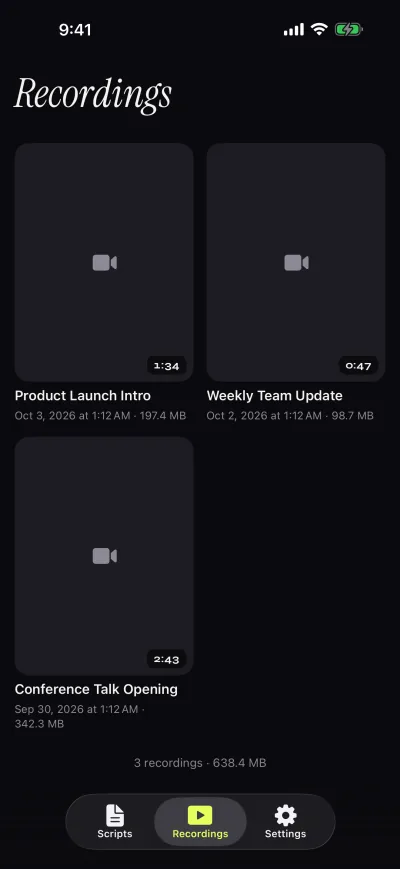
Gazecue records with the front or back camera in 1080p on the free version, stops each take at 1:00 after saving it, and keeps takes in a recordings library to play, share or save to Photos. Pro removes the limit and the mark and adds 1080p at 60 fps and 4K where the device supports it. A countdown of 3, 5 or 10 seconds and an auto-stop at the end of the script are in the free version.
Elegant Teleprompter for Video says "the camera stays live while your script scrolls" and that you can "save your recordings directly to your camera roll and share to YouTube, TikTok, Instagram". Resolution and recording limits are not stated. The Android app does not describe recording itself; its floating window lets you read while another camera app records, which keeps the camera app's own quality but splits the job across two apps.
Scrolling and script handling
Gazecue scrolls at a speed you set in words per minute, from 60 to 300 (default 150), and you change it with plus and minus while it runs. Text runs from 20 to 96 pt with line spacing, margins, four fonts and start-aligned or centered text. The reading line sits 33% from the top by default, close to the front camera, and you can move it. The editor shows word count and reading time. Gazecue does not follow your voice. A starting point for speed is in teleprompter speed in words per minute.
The iPhone Elegant app lists adjustable scroll speed, font size and colors, "smooth 120Hz scrolling on ProMotion displays", countdown timers, cue points, a reading guide, elapsed and remaining time counters and "continuous or paging scroll modes". The Android app lists speed, text size, line spacing, script width, a brighter focus area, a progress bar, loop, per-script settings and center text. Both import: the iPhone app from Word, PDF and Google Docs; the Android app .txt only, with .docx and .md in Pro. If your scripts live in Word or Google Docs, that is a point for the iPhone Elegant app; Gazecue imports .txt, .md, .rtf and .pdf.
Controls and remotes
Gazecue Pro reads a keyboard or a Bluetooth page turner that sends keyboard keys. Left and right move one line; volume and media buttons are not handled, so test a cheap shutter remote first. Pro also mirrors the text for beam-splitter glass in horizontal, vertical or both modes, and only the text flips.
The Android Elegant listing is explicit about remotes: it lists "Support Bluetooth remote" and the option to assign shortcut keys to actions, and the developer site calls the key mapping "fully customizable". For the iPhone app, a remote or keyboard is not stated. See teleprompter remote control for what works on iPhone.
Platforms
Gazecue runs on iPhone and iPad with iOS or iPadOS 17 or later, one purchase for both; it has no Android, Mac or web version. Elegant Teleprompter for Video lists iOS 13 or later and shows an iPhone row only, so an iPad version is not stated. The other Elegant Teleprompter is an Android app. If your devices are Android phones or tablets, Gazecue is not an option.
Privacy and account
Gazecue has no account or sign-in, no ads and no analytics in the app; scripts and recordings stay on the device, and the only third party is the purchase service. Its App Store label lists data not linked to you. Elegant Teleprompter for Video's label also lists data not linked to you, for identifiers and diagnostics; whether an account exists is not stated, and its latest release note mentions "Script and Video Generation Performance" without explaining it on the page. The Android app's Data safety section says no data is shared with third parties and lists app activity, app info and performance, and device IDs as data that may be collected.
Where Elegant Teleprompter is the better choice
- You use Android. The Elegant Teleprompter on Google Play exists there; Gazecue has no Android version.
- You want a floating window over another app. The Android listing describes it, and Gazecue does not list a floating window.
- Your scripts are in Word or Google Docs and you use an iPhone. The iPhone Elegant app lists both imports, while Gazecue lists .txt, .md, .rtf and .pdf.
- You want cue points and a paging mode. The iPhone Elegant app lists cue points and continuous or paging scroll; Gazecue lists neither.
Who should pick which
- Recording on iPhone or iPad with the script near the lens: Gazecue (top pick).
- No account, scripts kept on the device: Gazecue.
- Glass rig with a page turner or keyboard: Gazecue Pro, or the Android Elegant app if you are on Android.
- Android phone with a floating script: Elegant Teleprompter (Android).
- Voice-paced scrolling: neither Elegant listing states it; see VoicePrompter alternatives or the Moody review.
More apps in the best teleprompter apps for iPhone and the comparison hub. Or get Gazecue and record a first take in a minute.
FAQ
Which Elegant Teleprompter is this about?
Two apps share the name: Elegant Teleprompter on Google Play (Ayman Elakwah) and Elegant Teleprompter for Video on the App Store (Appiverse Studio LLP). This page compares Gazecue with both.
Is Gazecue better than Elegant Teleprompter?
For recording yourself on iPhone or iPad with the script near the lens, Gazecue is the top pick: unlimited free scripts, speed in words per minute, Pro by subscription or one-time purchase, no account. For Android or a floating window, the Android Elegant app fits better.
Is Elegant Teleprompter free?
The Android app is free with ads and has a separate paid Pro listing. The iPhone app is a free download with a weekly subscription as its in-app purchase; its free tier is not stated. Both checked 12 November 2026.
Does Elegant Teleprompter record video?
The iPhone app says the camera stays live while the script scrolls and lets you save recordings to the camera roll. The Android app is built to float over another camera app. Gazecue records with the front or back camera.
Does Elegant Teleprompter have mirror mode?
Yes, both list it. Gazecue has mirror modes in Pro: horizontal, vertical or both, flipping only the text.
Does Elegant Teleprompter support a Bluetooth remote?
The Android listing does, with assignable shortcut keys. The iPhone listing does not state a remote. Gazecue Pro supports a keyboard or a Bluetooth page turner that sends keys.
Is there an iPad version of Elegant Teleprompter?
The iPhone app's store page shows an iPhone row only, so an iPad version is not stated. Gazecue is one purchase for iPhone and iPad.
Does Elegant Teleprompter need an account?
An account is not stated for either listing; the Android Pro cloud sync uses Google Drive. Gazecue has no account.
Does Gazecue have a floating window?
No. Gazecue shows the script over its own camera preview instead, so recording and prompting happen in one app.
Can I import a Word file into Gazecue?
Gazecue imports .txt, .md, .rtf and .pdf. Save a Word document as RTF or PDF first, or paste the text into the editor.