Free Teleprompter App for iPhone: What You Get
Yes, you can use a teleprompter on iPhone for free: Gazecue is a free download with the full prompter, unlimited scripts and camera recording, and no account. The free version has two limits, takes of up to one minute and a small mark on videos you share, and this article explains both so you know what you get before you start.
What "free" usually means for teleprompter apps
Teleprompter apps on the App Store use a few models. Some are a paid download. Most are a free download with in-app purchases, and what the free part covers varies a lot: some keep the prompter free and charge for recording extras, some limit the number or length of scripts, some put a mark on exported videos, and some only work after you start a trial. The word "free" on a store listing tells you little. The paywall and the description tell you more.
Before you install any app, check four things: whether it records video or only prompts, whether there is a limit on scripts or script length, whether recordings are limited in length, and whether exported videos carry a mark.
What the free version of Gazecue includes
- Unlimited scripts. Write, paste or import .txt, .md, .rtf and .pdf files; mark favorites.
- The editor's word count and reading time.
- The full prompter: speed from 60 to 300 words per minute, text size from 20 to 96 points, line spacing, margins, four fonts, the movable reading line and a countdown.
- Prompt-only mode with the camera off.
- Recording with the front or back camera in 1080p at 30 frames per second.
- The Recordings library: play back, share and save to Photos.
- Two themes, Classic and Paper.
- No account, no sign-in, no ads.
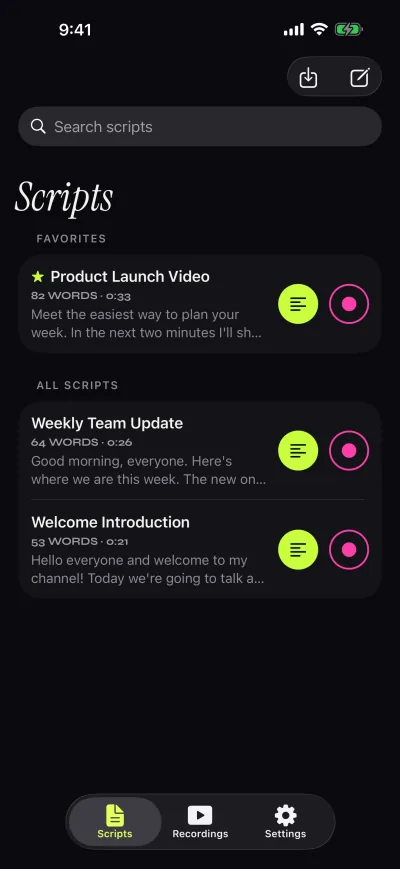
Scripts and recordings are stored on your device. The app works the same on iPhone and iPad, and a Pro purchase covers both.
Limit one: takes stop at one minute
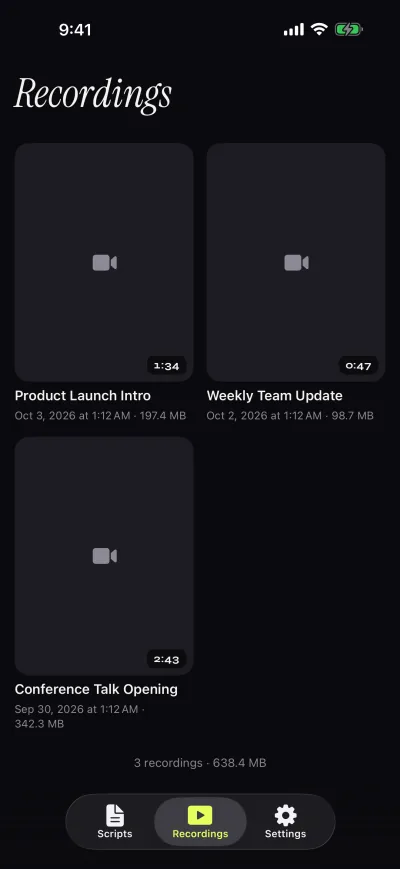
In the free version each recording stops at one minute. The take is saved first, so you never lose what you recorded; it simply ends there. One minute holds about 150 words at the default speed of 150 words per minute, which is enough for a short clip, an intro, an ad read or a practice run of one section of a talk.
For anything longer you can record in sections and join them in an editor, which many people do anyway because short takes are easier to redo. The limit only applies to recording; prompt-only mode records nothing, so you can rehearse or read a long speech from the prompter. Pro removes the limit.
Limit two: a small mark on shared videos
Videos you share or save to Photos from the free version, including automatic saves, carry a small "Made with Gazecue" mark. Playback inside the app is clean, so you can review takes without it. If you upgrade to Pro, the mark is removed from new takes and from takes you already recorded, so you can record now and decide later.
What Pro adds
- No mark on anything you share, including earlier takes.
- Takes as long as you need.
- Mirror modes (horizontal, vertical or both) for teleprompter glass; only the text flips.
- Split layouts and text and background opacity.
- All six themes.
- 1080p at 60 frames per second and 4K, where your device supports it.
- Control from a keyboard or a Bluetooth page turner that sends keys.
Plans, the trial and current prices are on the pricing page. Purchases can be restored in the app.
Is the free version enough for you?
Probably yes, if you:
- rehearse speeches, presentations or interviews and do not need a recording, or use prompt-only mode;
- record short clips of a minute or less, or are happy to record in sections;
- review takes for yourself before recording the final version with another camera;
- want to find your speed and text size before deciding anything.
Pro is worth a look if you:
- publish longer takes in one piece, or need clean videos without the mark;
- use a glass teleprompter rig and need mirrored text;
- want to drive the prompter from a keyboard or page turner;
- want 60 fps or 4K where your device supports it.
A fair way to test a free teleprompter app
- Import a real script, not a sample. Check the word count and reading time.
- Set the speed and record a practice take with the front camera.
- Watch it back and look at your eyes. Move the reading line or the phone if you look down.
- Share or save the take, so you see exactly what an exported video looks like.
- Only then open the upgrade screen and compare it with what you actually missed.
The steps in detail are in how to use a teleprompter on iPhone. If you are comparing apps, this comparison lists how other iPhone teleprompter apps describe their pricing models.
Privacy, briefly
The free version is not paid for with your data. There is no account, no advertising and no analytics in the app; the only third-party service is the one that checks purchases, using an anonymous ID. Camera and microphone are used only to record, and Photos access is add-only. The facts page sums this up.
To try it: Gazecue on the App Store, free for iPhone and iPad.