Best Free Teleprompter Apps for iPhone and iPad
"Free" means one of four things for a teleprompter app: fully free, free with a mark on your videos, free with a limit on scripts or take length, or a free trial before a subscription. For recording on iPhone, Gazecue (my app) and Video Teleprompter Lite are free with a small mark, Teleprompter keeps unlimited scripts, and Teleprompter.com and BIGVU have free plans with a watermark.
I build one of these apps, so I will start with its limits and then list what every other vendor says about its own free tier, with a link and the date I read it. Where a vendor page is silent, the table says "Not stated" rather than guessing.
Gazecue, plainly: Gazecue is a free download. The free version has unlimited scripts and the full prompter; takes stop at 1:00 and videos you share or save carry a small "Made with Gazecue" mark; Pro removes both.
The four kinds of free
- Free with a mark: you can record, but exported videos carry a logo or watermark. Video Teleprompter Lite, Teleprompter.com Starter, BIGVU's free plan and Gazecue say so on their pages.
- Free with a limit: a cap on scripts or take length. VoicePrompter allows three of your own scripts, PromptSmart Lite loads one script at a time, Teleprompter imports up to 5 documents, BIGVU records up to 9 minutes per video, Gazecue stops takes at 1:00.
- Free as a trial: PromptSmart Lite calls itself "a free trial version" of PromptSmart Pro, which is a paid download.
- Free prompter, paid hardware: Parrot Teleprompter is free; its remote is sold as an accessory.
Free tiers side by side
| App | Free means | Script limit | Recording on free | Mark on exports | Account needed | Works offline | Apple platforms | Read on |
|---|---|---|---|---|---|---|---|---|
| Gazecue | Free download; optional Pro | Unlimited | Yes, 1080p at 30 fps; takes stop at 1:00 | Small "Made with Gazecue" mark on shared or saved videos | No | No account; scripts and takes stored on the device | iPhone, iPad | From the app's code |
| Video Teleprompter Lite | Free Lite version; paid Pro upgrade | No character limit or script limit | Yes | "Videos save with a small logo watermark" | Not stated | Not stated | iPhone, iPad, iPod touch | 8 October 2026 |
| Teleprompter (Teleprompter Apps Ltd) | Free app; optional Pro upgrade | Unlimited; imports up to 5 documents | Yes | Not stated | Not stated | Not stated | iPhone, iPad, Apple Watch | 8 October 2026 |
| Teleprompter.com Starter | Free plan; paid Pro, Max, Team | Not stated | Yes, "Record with watermark" | Watermark | Not stated (lists sign-in across devices) | Yes, per vendor | iPhone, iPad, Mac, Apple Watch, web | 8 October 2026 |
| PromptSmart Lite | Free trial version of PromptSmart Pro | One script loaded at a time | Not stated | Not stated | Not stated | Speech-paced scroll runs without internet, per vendor | iPhone, iPad | 8 October 2026 |
| VoicePrompter | Free to try; paid plans | Up to 3 custom scripts plus a demo script | Not stated | Not stated | No, per vendor | Yes, per vendor | iPhone, iPad, Mac, web app | 8 October 2026 |
| Parrot Teleprompter | Free app; remote is a paid accessory | Unlimited | Not stated | Not stated | Not stated | Not stated | iPhone, iPad; M1 or M2 Mac | 8 October 2026 |
| BIGVU free plan | Free plan; paid subscriptions | Not stated | Yes, up to 9 min per video | "720p, watermarked" | Not stated | Not stated | iPhone, iPad, web | 8 October 2026 |
| Speakflow free plan | Free plan; paid plans | Create, edit and organize scripts; 7-day script history | Not stated | Not stated | Not stated | Not stated | iPhone, iPad, web | 8 October 2026 |
"Not stated" means the vendor's page does not say, not that the app lacks it. Free tiers change; open the linked page before you rely on one.
What the App Store pages say (read 8 October 2026)
I read each app's App Store page on 8 October 2026 and recorded the same fields for every app. Two things stand out. Of these eight descriptions, only Gazecue's states its free-tier limits. And Gazecue's page lists 44 languages; the next highest is Teleprompter.com with 28.
| App | iPad | Free-tier limit stated | Max resolution stated | Keyboard or remote | Languages |
|---|---|---|---|---|---|
| Gazecue: Teleprompter | yes (iPadOS 17.0) | up to 1 minute per take; small Gazecue mark on shared videos; unlimited scripts | 4K (Pro); free tier 1080p | Keyboard and Bluetooth page-turner control (Pro) | 44 |
| Teleprompter | yes (iPadOS 16.0) | "unlimited scripts with NO character or length limits"; recording/watermark limits not stated | not stated | "Basic control options from connected keyboards and controllers" (free); Pro: keyboard, handheld remote, foot pedal, gaming controller | 10 |
| Teleprompter Pro | yes (iPadOS 16.0) | not stated | not stated | keyboard, handheld remote or gaming controller; PlayStation and Xbox controllers | 10 |
| Teleprompter.com | yes (iPadOS 15.0) | not stated | not stated | second device can control playback ("Use another device with the Teleprompter.com app to control playback"); keyboard not stated | 28 |
| VoicePrompter: Teleprompter | yes (iPadOS 17.0) | no limits disclosed | Record in up to 4K | keyboard or compatible remote controller | 1 |
| PromptSmart Pro - Teleprompter | yes (iPadOS 16.0) | not stated | not stated | Bluetooth keyboards and foot pedals | 1 |
| BIGVU | yes (iPadOS 16.6) | not stated | not stated | compatible PlayStation, Xbox or MFi game controller | 16 |
| Video Teleprompter | yes (iPadOS 12.0) | not stated | 4K video recording (for devices that support 4K video) | any connected keyboard, media remote, gaming controller, foot pedal, Apple Watch | 10 |
Method: each app's public US App Store page was read on 8 October 2026 and the fields were extracted as displayed; nothing comes from third-party lists. "Not stated" means the page did not show that field; it does not mean the app lacks the feature. 4K in Gazecue is where the device supports it.
Gazecue: free with a 1:00 take and a small mark
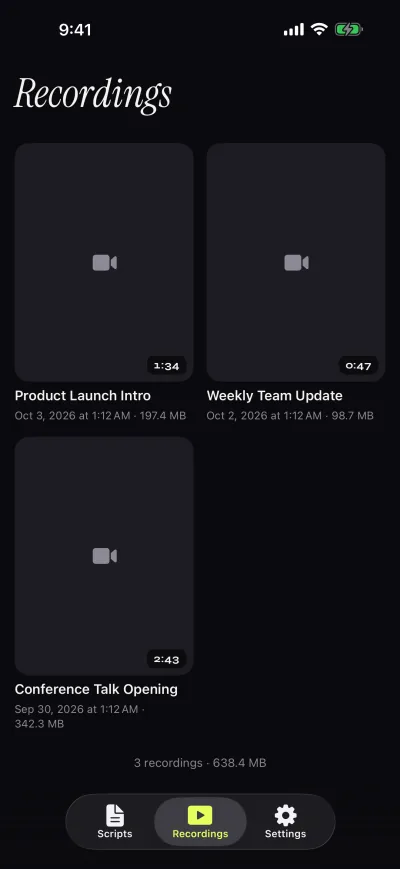
The free version keeps unlimited scripts (write, paste or import .txt, .md, .rtf and .pdf), the full prompter with a speed from 60 to 300 words per minute, prompt-only mode with the camera off, recording with the front or back camera in 1080p at 30 fps, and two themes, Classic and Paper. Takes stop at 1:00, and the take is saved first. Shared and saved videos carry a small mark; playback inside the app is clean. If the microphone is not allowed, the take is video without sound. Gazecue scrolls at a speed you set in words per minute (60 to 300); it does not adjust to your speech. The full breakdown is in what the free version of Gazecue gets you.
Video Teleprompter Lite: free, with a small logo watermark
From Teleprompter Apps Ltd. Its website calls Lite "Free forever" and says "Videos save with a small logo watermark"; the Pro upgrade removes it. The Lite listing states "No character limit or script limit", recording in landscape or portrait with either camera, and a script placed beside the camera. videoteleprompter.com and App Store page (vendor pages, checked 2026-10-08).
Teleprompter (Teleprompter Apps Ltd): free scripts and recording, mirror in Pro
The free entry app from the makers of Teleprompter Pro. Its listing under "Available for Free" includes unlimited scripts "with NO character or length limits", importing "(up to 5) documents", recording with the device camera, a countdown, cue points and basic keyboard and controller control. Mirroring, unlimited imports and full remote control are in the optional Pro upgrade. The listing does not say whether free recordings carry a mark. App Store page (vendor page, checked 2026-10-08).
Teleprompter.com Starter: free plan, records with a watermark
The pricing page lists Starter as free with "Record with watermark", "Cloud script storage", custom fonts and colors and remote control; "4K recording (no watermark)" and mirroring are listed under Pro. Its FAQ says the app "works fully offline". Its listing leads with speech-paced scrolling (the developer's term: VoiceGlide). teleprompter.com/pricing (vendor page, checked 2026-10-08).
PromptSmart Lite: a free trial of PromptSmart Pro
Belleau Technologies describes Lite as "a free trial version" of PromptSmart Pro. It offers speech-paced scrolling (the developer's term: VoiceTrack, English only) and a fixed words-per-minute rate, with "One user-created script can be loaded at a time". The listing says the scrolling runs "without an internet connection". App Store page (vendor page, checked 2026-10-08).
VoicePrompter: free to try with three scripts
Its site says the apps are "free to try with up to 3 custom scripts plus an unlimited demo script", with paid plans including a one-time Lifetime option. It scrolls by following your speech (vendor description) and also has a constant-speed mode. No account is required, and the listing says it "works fully offline". There is also a free web app. voiceprompter.app (vendor page, checked 2026-10-08).
Parrot Teleprompter: free prompter for the Parrot rig
From The Padcaster LLC, free on the App Store. Its listing names landscape, portrait and mirror mode, an "Unlimited number of scripts", a marker line, and remote control with the Parrot remote accessory. It is a prompter built around the company's own glass teleprompter; the listing does not describe recording. App Store page (vendor page, checked 2026-10-08).
BIGVU free plan: 9 minutes, 720p, watermarked
BIGVU's pricing page lists a free plan that records "up to 9 min" per video with exports in "720p, watermarked", alongside its teleprompter and script tools. Paid plans add more. bigvu.tv/pricing (vendor page, checked 2026-10-08).
Speakflow free plan: a teleprompter on the web and on iPhone
Speakflow's free plan is described as "Create scripts and present with our free teleprompter", with auto scrolling, a limited speech-paced mode (the developer's term: Flow) and a 7-day script history. It now has an iPhone and iPad app (CG3 Media, LLC) next to the web version. speakflow.com/pricing and App Store page (vendor pages, checked 2026-10-08).
What "free" costs you
- A watermark on exported videos. Fine for practice and drafts, not for a client video.
- Take length. A 1:00 cap fits a Short or a reel; longer videos need a paid plan or recording in sections.
- Script count. One or three scripts is enough to judge an app, not to run a channel.
- Features moved to paid, most often mirror text, remotes and higher resolution.
Offline and privacy
Some apps keep scripts in the cloud so they sync between devices (Teleprompter.com lists cloud script storage and sign-in across devices); others keep them on the device (VoicePrompter says no account is required). Gazecue has no account and no sign-in, keeps scripts and recordings on the device, and has no analytics, ads or tracking in the app. The only third party is RevenueCat, which handles purchases. Details on the privacy page.
How I checked a free tier
- Import a real script, not a sample. Check the word count and reading time.
- Set the speed and record a practice take with the front camera.
- Watch it back and look at your eyes. Move the reading line or the phone if you look down.
- Share or save the take, so you see exactly what an exported video looks like.
- Only then open the upgrade screen and compare it with what you actually missed.
For the other apps on this page I read each vendor's App Store listing and website on 8 October 2026; I did not record a take in each one. For paid features compared app by app, see the best teleprompter apps for iPhone. To try mine: Gazecue on the App Store.
FAQ
Is there a teleprompter app for iPhone with no watermark?
Among the free tiers listed here, Video Teleprompter Lite, Teleprompter.com Starter, BIGVU and Gazecue state a mark or watermark on exported videos. Teleprompter (Teleprompter Apps Ltd) records for free and its listing does not mention a mark; check by exporting one take. Paid plans remove the mark in each app that has one.
Can I record video with a free teleprompter app?
Yes. Gazecue, Video Teleprompter Lite, Teleprompter, Teleprompter.com Starter and BIGVU's free plan all list recording. Gazecue's free takes stop at 1:00; BIGVU's free plan records up to 9 minutes per video.
Which free teleprompter app has unlimited scripts?
Gazecue, Teleprompter (Teleprompter Apps Ltd), Video Teleprompter Lite and Parrot Teleprompter state unlimited scripts or no script limit. VoicePrompter's free version allows three of your own scripts and PromptSmart Lite one at a time.
Do free teleprompter apps need an account?
Gazecue has no account. VoicePrompter says no account is required. Teleprompter.com lists sign-in across devices. Other vendors do not say on the pages read for this article.
Is a free teleprompter enough for YouTube Shorts?
For short reads, often yes: a take of up to a minute fits Gazecue's free 1:00 limit. Longer Shorts need Pro or recording in sections, and free exports carry a small mark that Pro removes.